NBB Controls + Components GmbH
Change of the system address
The transmitter must be switched off.
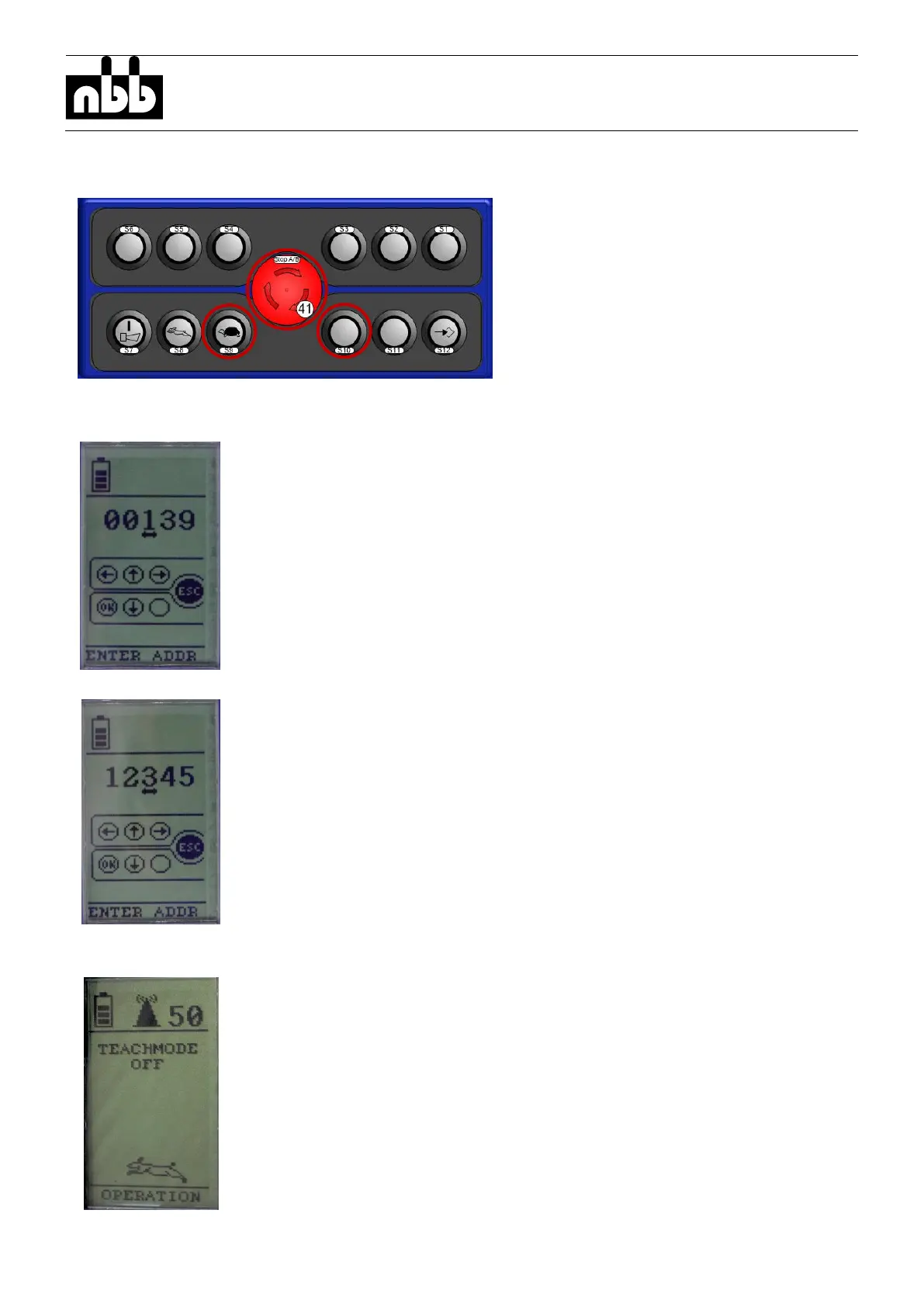
Press and hold the buttons “S9” and
“S10” at the same time and release
the Emergency Stop switch.
The actual system address is shown on the display.
Follow the instructions on the display to change the system address.
- Press the buttons “S5” and “S8” to change the selected digit
- Press the buttons “S6” and “S4” to select another digit of the system
address
- Cancel the process by pressing the Emergency Stop switch
- Save and set the new system address by pressing the button “S7”
After saving the system address by pressing the button “S7”, the
transmitter switch to operation mode and is ready for operation.



 To Next Page