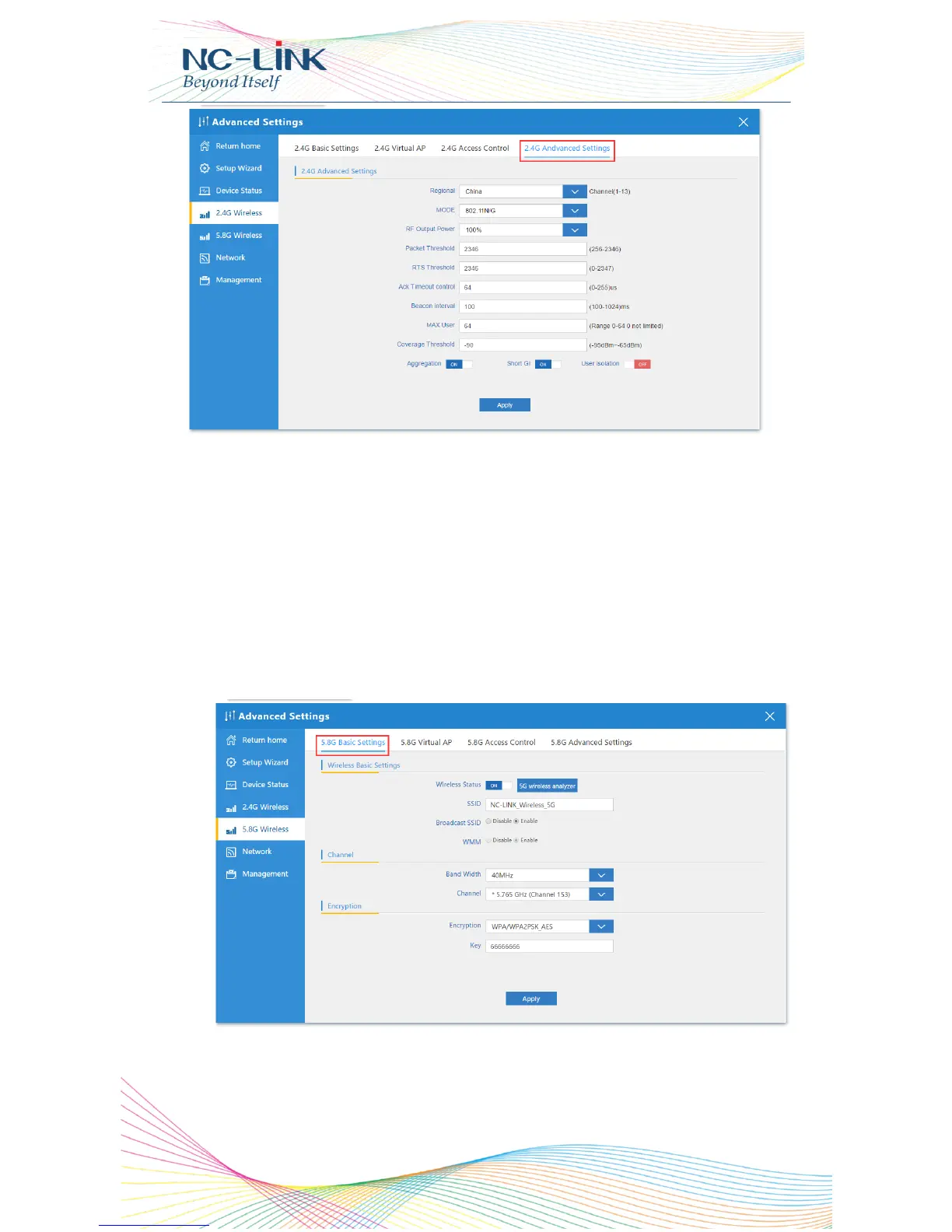
Regional: set it of your country or region
MODE: you can choose 802.11N/G, 802.11B/G
RF Output Power: 100%, 75%, 50%, 25%, 12.5%
MAX user: limit the number of connect client
Coverage threshold: limit the number of connect client
Other advanced Setting: Professional installation or maintenance
person can set it accordingly. General, keep it default. Click Apply
after setting
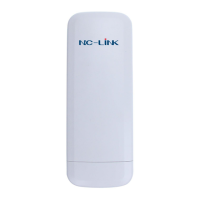
8.3 5.8G Wireless
8.3.1 5.8G Basic Setting
Wireless Status: ON/OFF the 5.8GHz wireless


 To Next Page