Thank you for purchasing Enterprise High Gain Outdoor CPE. This manual will
instruct you how to configure and manage this CPE, enable you to use it in a
perfect status. After installed the CPE, you will be able to enjoy the surfing
freely.
Please check the Package before use it.
Package Contents
Quick Installation Guide
1. How to connect and power on the outdoor CPE
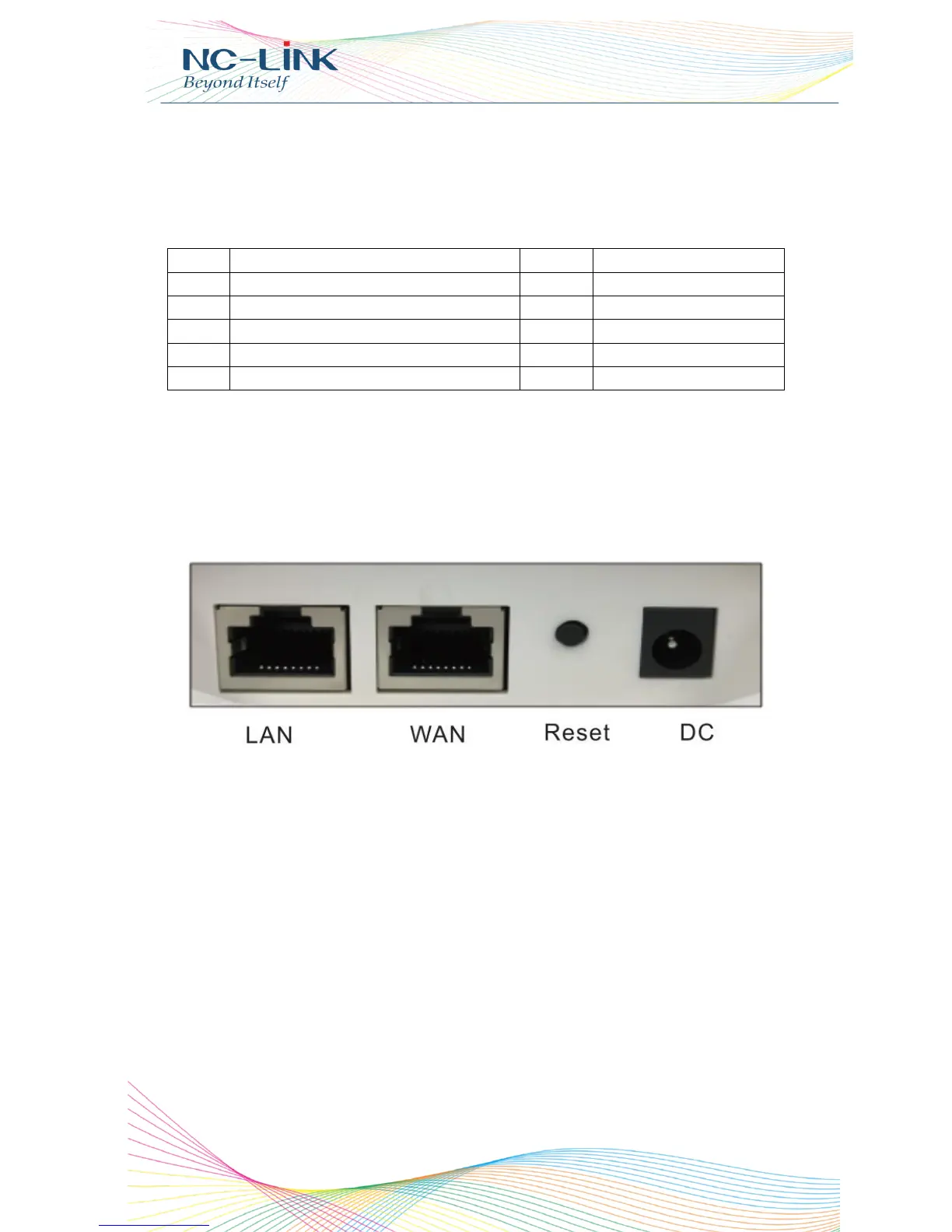
CPE’s Interface Description
P1 Interface
Reset: Press it for 10-15 seconds, the CPE will restore to factory
default.
WAN: Connect with Internet cable
LAN: Connect the CPE with computer by LAN cable.
DC: For Power supply, the DC’s electronic standard is 12V/1A.
POE: This equipment can be powered over Ethernet, Connect CPE’s WAN/LAN
Port with PoE adapter’s POE port by LAN Cable (CPE’s LAN port and WAN port
support the 24V PoE.)
Refer to P2 for PoE Power and CPE configure


 To Next Page