Need help?
Do you have a question about the nCase M1EVO-A-SDK and is the answer not in the manual?
Details specifications and dimensions for compatible components like fans, radiators, GPUs, and PSUs.
Identifies and illustrates various screws used in the assembly process, like M3 HDD, Flat Head, Countersunk, Thumb, and Round Head screws.
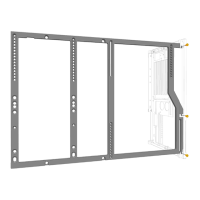
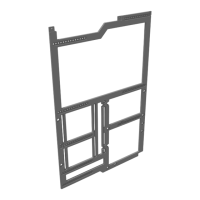
Guides through initial chassis assembly steps, including frame setup and panel attachment using specific screws.
Details the assembly steps for the standard M1 build configuration, focusing on component placement and mounting.
Provides instructions for assembling the M1 case in a flipped orientation, potentially for different airflow or aesthetic preferences.
Explains how to install a GPU vertically within the M1 chassis, including necessary brackets and mounting steps.
Illustrates the procedure for attaching and detaching the outer panels of the M1 chassis, with specific tips for the motherboard side.
Describes how to attach the case feet, including guidance for angled feet based on mounting plate markings (X or O).
Details the process for installing both 2.5-inch and 3.5-inch hard drives into the M1 chassis, showing mounting methods.
Guides the user through installing PCIe slot covers to protect unused expansion slots and improve aesthetics.
Explains the simple procedure for installing the cover for the front input/output ports of the case.
Shows how to install case fans into the M1 chassis, likely for cooling optimization.


 To Next Page
 General