
 Need help?
Do you have a question about the NCE NCE868DVD and is the answer not in the manual?
Details on making all necessary electrical connections for the unit.
Steps for physically mounting the main unit into the vehicle dashboard.
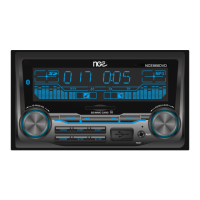
Identification and function of buttons and dials on the unit's front panel.
Detailed explanation of primary operation buttons like Mode, Play/Pause, and presets.
Functions of track/station navigation, band selection, and clock settings.
Details on AUX input, USB slot, audio adjustment dial, and reset function.
Instructions for tuning, selecting bands, and setting radio presets.
Guidance on playing music from USB drives and SD cards.
Procedure for setting and adjusting the unit's clock display.
How to connect and use the AUX input and adjust audio settings.
Steps for pairing devices and streaming audio via Bluetooth.
Table addressing common issues like no power, no sound, and media playback problems.
Technical details including power, dimensions, and fuse rating.
Frequency ranges and channel steps for FM and AM radio bands.
Information on supported audio file formats for USB and SD card playback.
Policy details on product returns, repairs, and refunds.
Explanation of express warranty terms and consumer rights.
Procedure for reporting and returning goods that arrive damaged.
Required information for submitting a warranty claim.
Details on the assessment, repair, and credit process for returned goods.
 General
| DVD Player | Yes |
|---|---|
| Bluetooth | Yes |
| USB Port | Yes |
| SD Card Slot | Yes |
| FM Radio | Yes |
| AUX Input | Yes |
| Touchscreen | Yes |
| Screen Size | 6.2 inches |
| Supported Formats | MP3, WMA, DVD, CD |

 To Next Page