5
Clear Bluetooth Pairing
Yourheadphonesautomaticallyreconnectstothemost
recently paired device when switched on.
IfyouwanttochangetootherBluetoothdevices,orin
case of problems with pairing, do the following:
1. Switchontheheadphones,thenpressGM twice
quickly.
2. Theheadphonesbeepstoconrmdisconnection.
LEDturnsfromashingblueslowlytorapidly
ashingredandblue.
3. Press and hold GMtoturno.Whenyounextswitch
on, the headphones no longer pair automatically.
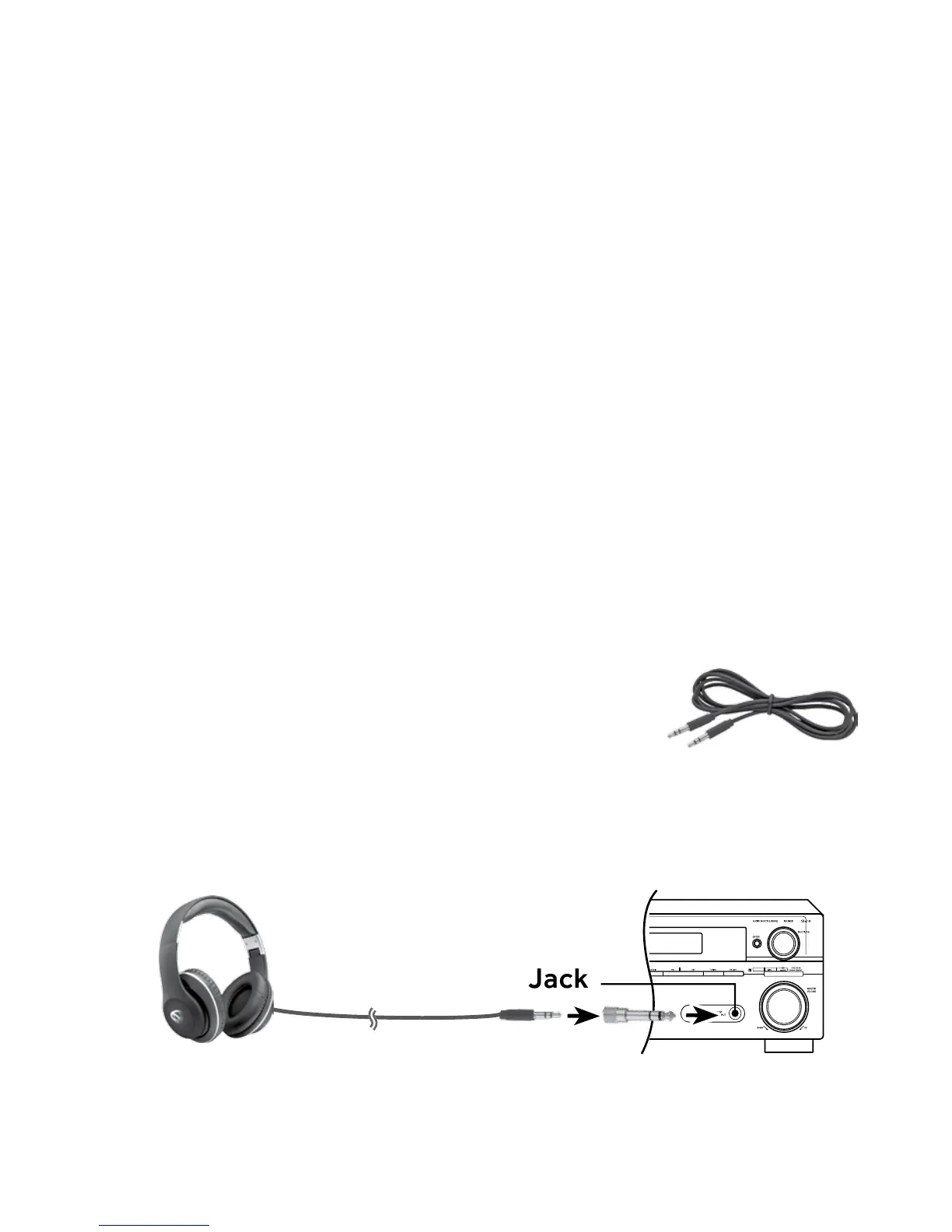
Wired Mode
• Usethe3.5mmaudiocable.Make
suretheheadphonesareswitchedo
tosavepower.Ahandyoptionwhen
your headphone battery power is depleted.
• The stereo adapter can be used to connect to an
audio source.
¼” Stereo
Headphone Jack


 To Next Page