EasyManua.ls Logo

NDT yateks Realta - User Manual

NDT yateks Realta
76 pages
Print Icon
To Next Page IconTo Next Page
Loading...
1
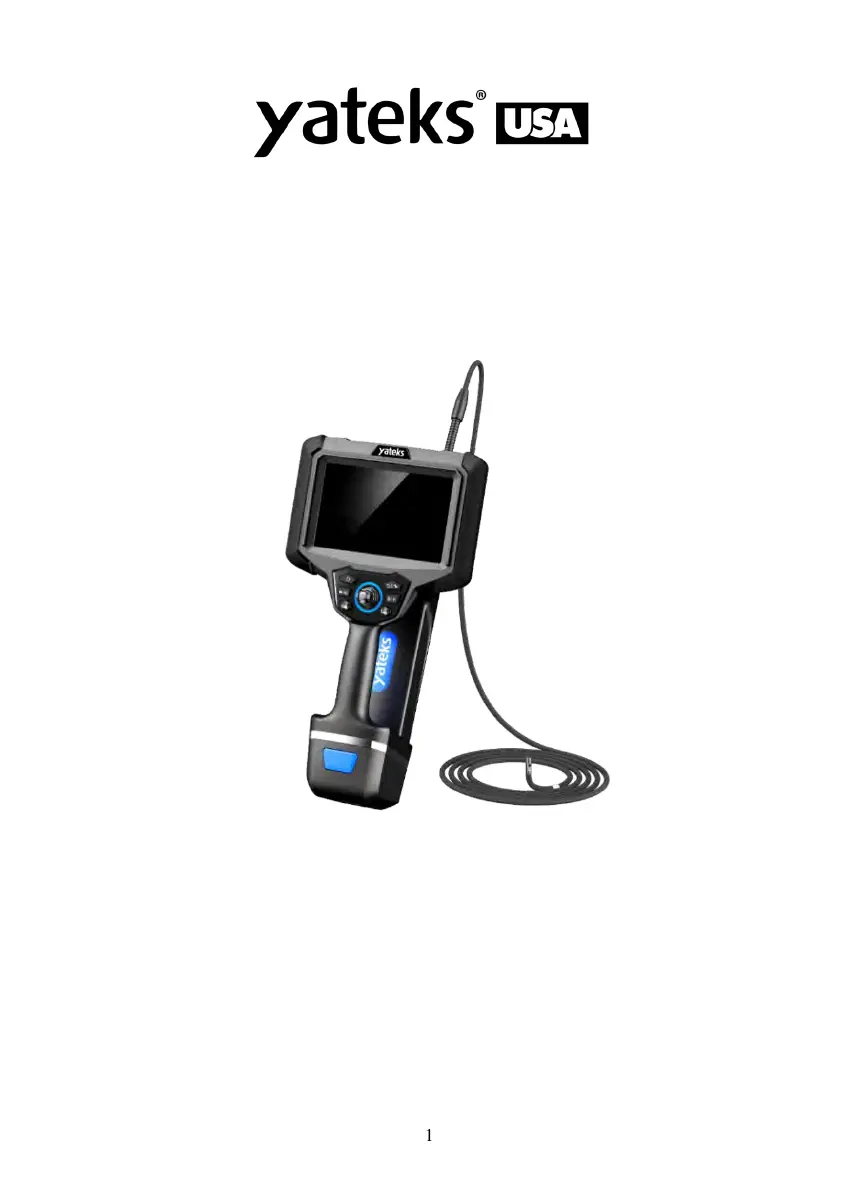
Realta 3D Measurement
Industrial Video Borescope
Operating Instructions
Warning: Please read the operating manual carefully before using the
instrument.

Questions and Answers

  • I
    Isaac CarrAug 17, 2025
    What to do if NDT yateks Realta shut down automatically?
    • S
      Sergio JacobsAug 17, 2025
      If your NDT Measuring Instruments shut down automatically, it could be due to a couple of reasons. First, the ambient temperature might be too high, triggering an automatic shutdown. In this case, stop the inspection, allow the instrument to cool down, and then turn it on again. Alternatively, a low battery can also cause automatic shutdown. If this is the case, charge the instrument or replace the battery.
  • W
    Warren FinleyAug 19, 2025
    What to do if NDT yateks Realta Measuring Instruments pictures and videos cannot be recorded?
    • M
      Mr. Michael WilliamsAug 19, 2025
      If your NDT Measuring Instruments aren't recording pictures or videos, the U disk might be full or not inserted properly. To resolve this, delete unnecessary files from the SD card or ensure the SD card is properly inserted.
  • J
    jessicalawrenceAug 22, 2025
    How to fix poor color reproduction on NDT yateks Realta?
    • K
      Kirsten FarmerAug 22, 2025
      If you're experiencing poor color reproduction with your NDT Measuring Instruments, the white balance setting might be incorrect. Try readjusting the white balance to correct the color.
  • J
    Jennifer WebbAug 26, 2025
    What to do if NDT yateks Realta video recording can't be closed, recording repeatedly, clicking file management will exit?
    • R
      Russell WilsonAug 26, 2025
      If the video recording on your NDT Measuring Instruments can't be closed, is recording repeatedly, and clicking file management causes an exit, it's likely that the SD card is not in FAT32 format. Format the SD card to FAT32 to resolve this issue.
  • S
    sara50Aug 28, 2025
    How to fix the image when it is not sharp on NDT Measuring Instruments?
    • B
      Brian MooreAug 28, 2025
      If the image on your NDT Measuring Instruments is not sharp, the object lens on the videoscope end or the optical adapter might be dirty. Clean it with a clean, lint-free cloth or cotton swab.
  • R
    Rita WelchAug 30, 2025
    Why NDT Measuring Instruments system cannot be turned off?
    • A
      Amanda KingAug 30, 2025
      If your NDT Measuring Instruments system cannot be turned off, it might be due to frequent operation freezes. To resolve this, press and hold the "host switch" for 6 seconds to shut down and restart the device, or try pulling out the battery and restarting.
  • A
    Alexander WhiteSep 2, 2025
    What to do if 'no card' is still shown after inserting the SD card into NDT yateks Realta?
    • J
      jasonthompsonSep 2, 2025
      If your NDT Measuring Instruments still show 'no card' after inserting the SD card, the SD card might not be inserted correctly. Try reinserting it into the card slot.
  • A
    ayoungSep 5, 2025
    What to do if NDT yateks Realta bending can’t return to the initial position?
    • Y
      ygonzalezSep 5, 2025
      If the bending function on your NDT Measuring Instruments can’t return to the initial position, it could be due to a couple of reasons. First, the bending locking might be engaged. To release it, move the joystick arbitrarily. Alternatively, the locking and tuning function might be active, indicated by a red “Locking/tuning” indicator. Press the “Locking/tuning” button again to turn off the indicator and release the bending lock, allowing the angle to return to the initial position.
  • V
    vgarciaSep 7, 2025
    What to do if NDT yateks Realta Measuring Instruments video of AVI format can’t be played?
    • W
      williamsphillipSep 8, 2025
      To play AVI format videos on your NDT Measuring Instruments, use the VLC media player, which is the professional software provided by our company, or QQ Player.
  • X
    xrobinsonSep 12, 2025
    What to do if the load is more and more strenuous when the bending is manipulated on NDT yateks Realta Measuring Instruments?
    • R
      rodriguezjillSep 12, 2025
      If the load becomes increasingly strenuous when manipulating the bending on your NDT Measuring Instruments, the bending control motor may be overloaded. To alleviate this, stretch the insert tube as far as possible to reduce the looping amount.

Summary

User Instructions and Safety

Danger

Critical safety warnings for instrument usage, including restrictions on usage with humans/animals and in hazardous environments.

Warning

Important safety advice and precautions for operation, covering repairs, liquid contact, and power management.

Precautions

Guidelines for safe and proper handling of the device, including temperature limits and insertion tube care.

Battery Handling and Safety

Battery Danger

Critical safety warnings for battery handling, charging, and disposal to prevent explosion or fire.

Battery Warning

Important safety advice for battery usage, including using correct models and handling liquid contact.

Battery Precautions

Guidelines for safe battery storage, charging, and usage to prevent damage or hazards.

Product Overview and Specifications

Product Description and Application

Overview of the instrument's components, technology, and broad industrial applications.

Parameter Definition and Performance

Details on insertion tube selection criteria and main system performance parameters.

Instrument Preparation and Setup

Case Handling and Unboxing

Instructions for safely handling, opening, and unboxing the instrument case.

Instrument Installation and Charging

Steps for installing modules, charging the battery, and checking the insertion tube.

Basic Operation and Interface

Startup and Button Controls

Procedures for starting the instrument and function of buttons and joysticks.

Menu Navigation and Adjustments

How to navigate menus for brightness, color, display scale, and image settings.

3 D Measurement Features

3 D Measurement Operations

Guide to entering and performing various 3D measurements like distance, area, and profile.

Measurement Interface and Tools

Using touch and joysticks for point selection and available measurement tools.

System Settings and Configuration

Language, Time, and Format Settings

Configuring language, date/time formats, and file formats for video and images.

SD Card, Software, and Wi-Fi Settings

Managing SD card, updating software, and configuring Wi-Fi connectivity.

Camera and Calibration Settings

Adjusting camera temperature, angle, light source, and performing calibration.

Image Browsing and Management

Navigating and Managing Files

Browsing, creating folders, renaming, and deleting files on the storage.

Image Editing and Annotation

Tools for image editing, measurement, and adding text or drawings.

Data Output and Connectivity

HDMI Output and Touch Functions

Connecting to external displays via HDMI and using the touch screen interface.

Data Transmission Methods

Transferring data via USB and syncing images with computers.

Steering Line Handling Guide

Insertion Tube and Angle Bending Operation

Procedures for operating the insertion tube and controlling the bending mechanism.

Instrument Storage and Maintenance

Cleaning Procedures

Guidelines for cleaning the insertion tube, LCD screen, and host unit.

Storage and Repacking Instructions

Precautions for storing the instrument and instructions for repacking into the case.

Troubleshooting and Repair

Troubleshooting Guide

Common faults, possible reasons, and recommended actions for instrument issues.

Instrument Repair Information

Procedures and contact information for returning the instrument for repair.

NDT yateks Realta Specifications

General IconGeneral
BrandNDT Yateks
ModelRealta
CategoryMeasuring Instruments
TypeSurface Roughness Tester
Accuracy±10%
Resolution0.01 µm
Driving Stroke Length6mm
DisplayLCD
SensorInductive
Cut-off Length (l)0.25mm / 0.8mm / 2.5mm
PowerBattery or AC adapter
OutputUSB
Power SupplyBattery or AC adapter
Operating Temperature0 - 40°C