Need help?
Do you have a question about the NEBO MYCRO 250 and is the answer not in the manual?
A rechargeable, hands-free 250 lumen lighting solution with integrated 135° tilt feature.
Details on product guarantee, customer service contact, and warranty registration.
Instructions to deactivate Demo Mode and cycle through light modes.
Details on direct-to-low, memory mode, and smart power control.
Information on USB charging, status indicator, and the versatile clip.
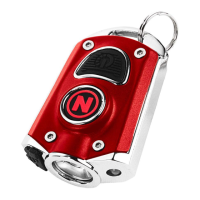
The MYCRO® 250 Headlamp & Cap Light is a versatile and rechargeable lighting solution designed for hands-free use. This compact device offers a powerful 250-lumen output and features an integrated 135° tilt mechanism, allowing users to precisely direct the light beam where needed. Its dual functionality means it can be worn as a headlamp with the included strap or easily converted into a cap light by removing the strap and utilizing its adjustable clip.
Operating the MYCRO® 250 is straightforward. To cycle through the light modes, simply press and release the Power Button. The sequence is Spot High, followed by Spot Medium, then Spot Low, and finally OFF. This intuitive progression ensures users can quickly find the desired brightness level for their task. For situations requiring immediate low light, the device offers a "Direct-to-Low" feature. From the OFF state, pressing and holding the Power Button for two seconds will reverse the mode sequence and directly activate the low setting. This can be particularly useful for preserving night vision or for tasks that don't require high illumination.
The MYCRO® 250 incorporates a "Memory Mode" for user convenience. If the device is turned OFF after being in a particular mode for more than 8 seconds, the next time the Power Button is pressed and released from the OFF state, it will activate the last used mode. This eliminates the need to cycle through modes repeatedly to return to a preferred setting. However, if there's no button activity for more than 8 seconds, a subsequent button push will always turn the unit OFF, ensuring efficient power management. The "Press & Hold" function, used for "Direct-to-Low" or dimming, overrides this 8-second timeout, allowing for continuous adjustment without interruption.
A notable feature is the "Smart Power Control," which ensures a smooth transition between light modes. When the product is turned on or switches between modes, the change in brightness occurs continuously over a period of 0.5 seconds. This gradual transition is less jarring to the eyes compared to an abrupt change in light intensity.
Maintenance of the MYCRO® 250 primarily involves its rechargeable battery. The device is USB rechargeable, making it convenient to power up using a standard USB cable. To charge, simply connect the included USB cable to a power source and then plug the USB-C end into the light's charge port. A "Charge Status" LED indicator, located near the charge port, provides visual feedback on the charging process. It illuminates red while the device is actively charging and turns green once charging is complete, clearly indicating when the light is ready for use.
Upon initial use, the product is shipped with "Demo Mode" active. To ensure full functionality and normal operation, users must deactivate this mode. Deactivating Demo Mode is a simple process: plug the included USB cable into a power source and then connect the USB-C end into the light. Merely inserting the cable into the light for at least 10 seconds will automatically deactivate Demo Mode, preparing the device for regular use.
The versatile clip is a key design element, allowing the MYCRO® 250 to adapt to various needs. This adjustable clip not only facilitates the 135° tilt feature, providing flexibility in beam direction, but also enables the device to function as a cap light. By simply removing the head strap, the light can be securely attached to the brim of a cap, offering an alternative hands-free lighting option. This adaptability makes the MYCRO® 250 suitable for a wide range of activities, from outdoor adventures to intricate tasks requiring focused illumination.
In summary, the MYCRO® 250 Headlamp & Cap Light is a user-friendly, adaptable, and efficient lighting tool. Its thoughtful design, including intuitive operation, memory mode, smart power control, and versatile clip, enhances its utility for diverse applications. The USB rechargeable battery and clear charge status indicator simplify maintenance, while the initial demo mode deactivation ensures a seamless transition to regular use.
 General
| Lumens | 250 |
|---|---|
| Water Resistance | IPX4 |
| Battery Type | Rechargeable |
| Modes | High, Low |
| Material | Aluminum |


 To Next Page