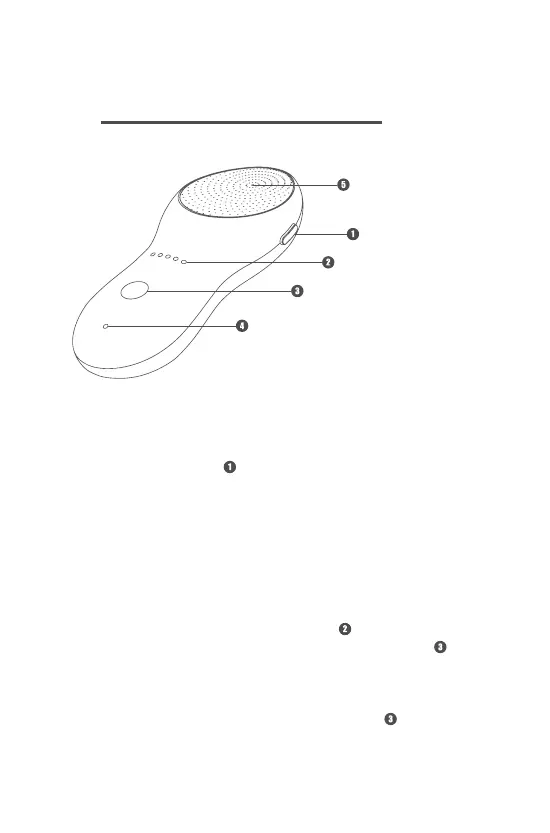
6.1 On/O Button
There is an on/o button on the upper right side of the Micro-RF
Beauty Device. Press the button and hold until the indicator light
is on, indicating that the power has turned on successfully. To turn
o the device, press the button and hold until all indicators are o.
6.2 Strength Control Button
Micro-RF Beauty Device features 5 levels of intensity, which are
indicated by the 5 intensity indicator lights .
To set the energy level, press the Strength control button .
Once the desired level of intensity is selected, the intensity
indicator will show the respective number of indicator lights.
If you want to change the level of the intensity during the course of
skincare, please press the Strength control button to adjust.
Using the
Micro-RF Beauty Device
6
Head
On/O button
Intensity indicator
Strength control button
Charging indicator


 To Next Page