Quick Start –continued
4
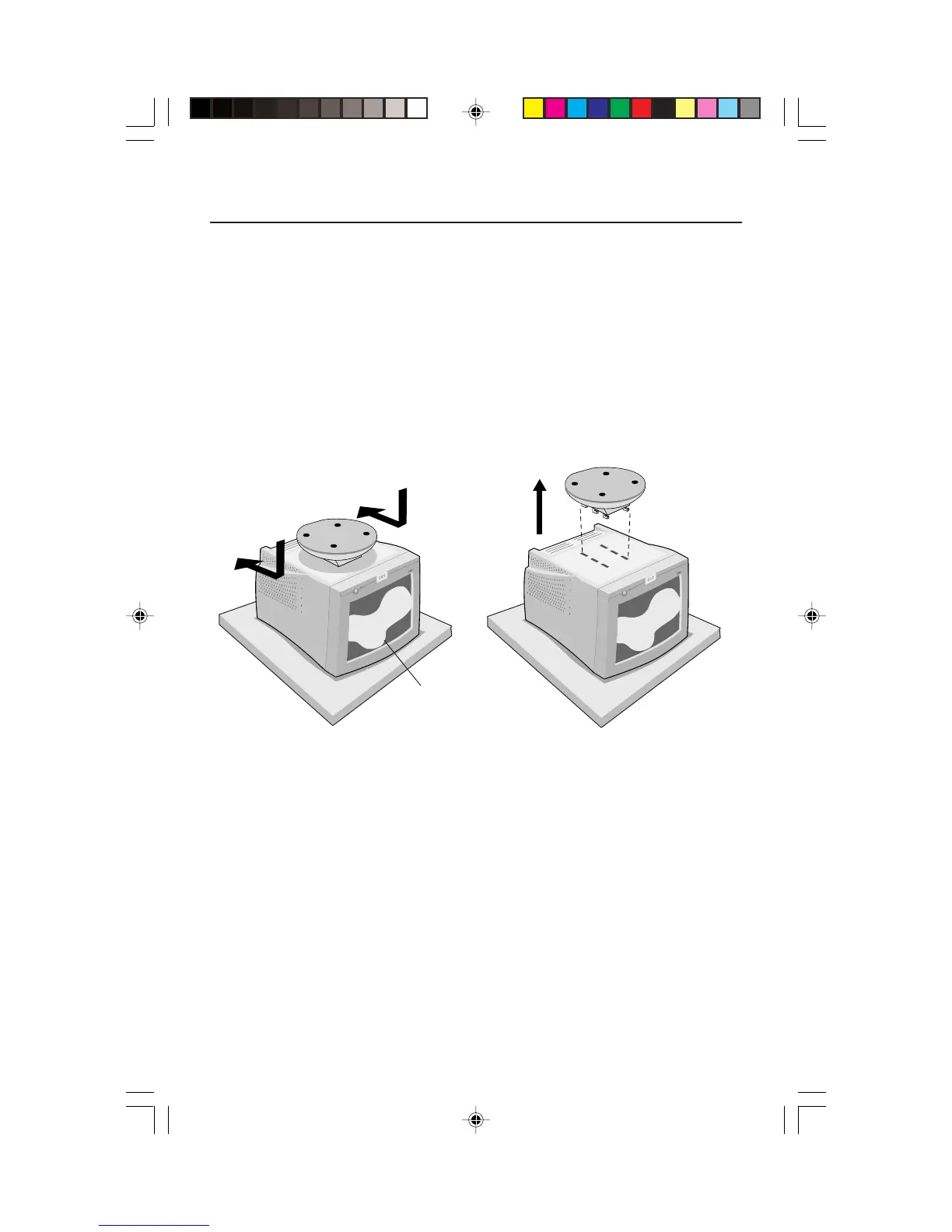
Remove Tilt/Swivel Base
To remove the tilt/swivel base from the AccuSync monitor, follow
these instruction:
1. With the monitor unplugged from your system and the wall outlet, carefully
turn the monitor upside down on a firm table (Figure TS.1).
2. Push down on the latch of the tilt/swivel base and slide the tilt/swivel base
backward from the front of the monitor (Figure TS.5).
3. Pull out the tilt/swivel base from the six holes on the bottom of the monitor
(Figure TS.6).
Figure TS.5 Figure TS.6
front of monitor
AS507090.wpc 5/14/01, 11:22 AM6








 To Next Page