This document is a user's manual for the NEC MultiSync E203Wi and MultiSync E233WM desktop monitors, providing essential information for setup, operation, maintenance, and troubleshooting.
Function Description:
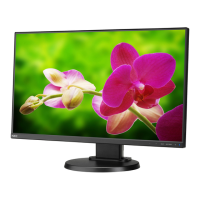
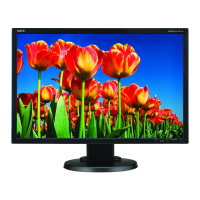
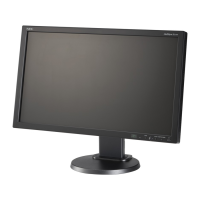
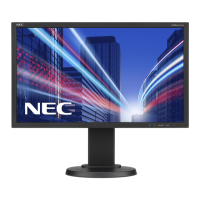
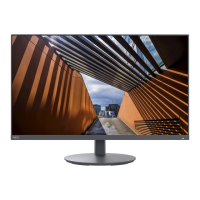
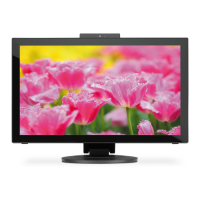
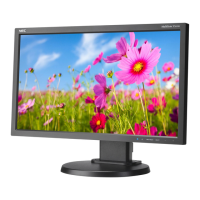
The NEC MultiSync E203Wi and E233WM are desktop monitors designed for use in office and domestic environments. They are intended for connection to a computer for displaying information and are not designed for television broadcast signals. These monitors offer various input options including DisplayPort, DVI-D, and VGA, allowing compatibility with a range of systems. The E233WM model also includes audio capabilities with built-in speakers and a headphone output. Both models feature an On-Screen Display (OSD) for adjusting various settings, including brightness, contrast, color, and image position. They support screen rotation for both landscape and portrait modes, as well as tilt and swivel adjustments for ergonomic viewing. The monitors are also designed for flexible arm installation, adhering to VESA mounting standards.
Important Technical Specifications:
MultiSync E203Wi Monitor:
- LCD Module: Active matrix, thin film transistor (TFT) liquid crystal display (LCD).
- Diagonal: 49.41 cm / 20 inches.
- Viewable Image Size: 49.41 cm / 20 inches.
- Native Resolution (Pixel Count): 1600 x 900.
- Dot Pitch: 0.271 (H) x 0.263 (V) mm.
- White Luminance: 250 cd/m².
- Contrast Ratio: 1000:1 (typical), 25000:1 (DV MODE ON).
- Input Signal: DisplayPort (Digital RGB, Complies with Standard V1.2, applicable to HDCP), DVI-D 24pin (Digital RGB, HDCP), VGA 15pin Mini D-sub (Analog RGB, Separate sync. TTL level Positive/Negative).
- Display Colors: 16,777,216.
- Synchronization Range: Horizontal: 31.5 kHz to 81.1 kHz; Vertical: 56 Hz to 76 Hz.
- Viewing Angle: Left/Right: ±89° (CR > 10); Up/Down: ±89° (CR > 10).
- Active Display Area (Landscape): Horiz.: 433.9 mm / 17.1 inches; Vert.: 236.3 mm / 9.3 inches.
- Active Display Area (Portrait): Horiz.: 236.3 mm / 9.3 inches; Vert.: 433.9 mm / 17.1 inches.
- Power Supply: 100-240 V ~ 50/60 Hz.
- Current Rating: 0.35 - 0.20 A.
- Dimensions (Landscape): 466.0 mm (W) x 350.0 - 460.0 mm (H) x 213.9 mm (D).
- Dimensions (Portrait): 273.2 mm (W) x 482.4 - 556.4 mm (H) x 213.9 mm (D).
- Height Adjustment: 110 mm / 4.3 inches (Landscape orientation); 74.0 mm / 2.9 inches (Portrait orientation).
- Weight (with stand): 4.9 kg (10.8 lbs).
- Operating Temperature: 5°C to 35°C / 41°F to 95°F.
- Storage Temperature: -10°C to 60°C / 14°F to 140°F.
- Power Consumption (Maximum Operation): 17 W (E203Wi).
- Power Consumption (Normal Operation): 15 W (E203Wi).
- Power Consumption (Energy Saving Mode): 0.35 W.
MultiSync E233WM Monitor:
- LCD Module: Active matrix, thin film transistor (TFT) liquid crystal display (LCD).
- Diagonal: 58.42 cm / 23 inches.
- Viewable Image Size: 58.42 cm / 23 inches.
- Native Resolution (Pixel Count): 1920 x 1080.
- Dot Pitch: 0.265 mm.
- White Luminance: 250 cd/m².
- Contrast Ratio: 1000:1 (typical), 25000:1 (DV MODE ON).
- Input Signal: DisplayPort (Digital RGB, Complies with Standard V1.2, applicable to HDCP), DVI-D 24pin (Digital RGB, HDCP), VGA 15pin Mini D-sub (Analog RGB, Separate sync. TTL level Positive/Negative).
- Display Colors: 16,777,216.
- Synchronization Range: Horizontal: 31.5 kHz to 81.1 kHz; Vertical: 56 Hz to 76 Hz.
- Viewing Angle: Left/Right: ±85° (CR > 10); Up/Down: ±80° (CR > 10).
- Active Display Area (Landscape): Horiz.: 509.2 mm / 20.0 inches; Vert.: 286.4 mm / 11.3 inches.
- Active Display Area (Portrait): Horiz.: 286.4 mm / 11.3 inches; Vert.: 509.2 mm / 20.0 inches.
- AUDIO Input: STEREO Mini Jack (Analog Audio), DisplayPort Connector (Digital Audio - PCM 2ch 32, 44.1, 48 kHz).
- Headphone Output: STEREO Mini Jack (Headphone Impedance 32 Ohm).
- Speakers: Practical Audio Output: 1.0 W + 1.0 W.
- Power Supply: 100-240 V ~ 50/60 Hz.
- Current Rating: 0.55 - 0.30 A.
- Dimensions (Landscape): 544.3 mm (W) x 374.5 - 484.5 mm (H) x 213.9 mm (D).
- Dimensions (Portrait): 322.2 mm (W) x 560.8 - 595.6 mm (H) x 213.9 mm (D).
- Height Adjustment: 110 mm / 4.3 inches (Landscape orientation); 34.8 mm / 1.4 inches (Portrait orientation).
- Weight (with stand): 5.7 kg (12.6 lbs).
- Operating Temperature: 5°C to 35°C / 41°F to 95°F.
- Storage Temperature: -10°C to 60°C / 14°F to 140°F.
- Power Consumption (Maximum Operation): 30 W (E233WM).
- Power Consumption (Normal Operation): 19 W (E233WM).
- Power Consumption (Energy Saving Mode): 0.30 W.
Usage Features:
- Ergonomic Design: The monitors are designed to reduce eye, shoulder, and neck fatigue. Features include adjustable height, tilt, and swivel, allowing users to position the screen at an optimal viewing angle and distance. Screen rotation from landscape to portrait mode is also supported.
- OSD Controls: An intuitive On-Screen Display (OSD) menu allows for easy adjustment of various display settings such as brightness, contrast, color control systems (including presets like 9300/7500/sRGB/USER/NATIVE), image position, horizontal size, and fine-tuning for focus and clarity.
- No Touch Auto Adjust (Analog Input Only): Automatically optimizes monitor settings upon initial setup for analog inputs.
- Intelligent Power Manager System: Incorporates power-saving methods, allowing the monitor to shift to lower power consumption levels when idle, reducing energy costs and emissions.
- ECO MODE: Provides two ECO MODE settings (80% and 40% brightness) to automatically adjust brightness within power consumption ranges that meet Energy Star measurement conditions.
- DV MODE: Adjusts brightness by detecting and optimizing the screen's black areas.
- Multiple Frequency Technology: Automatically adjusts to the display card's scanning frequency.
- FullScan Capability: Utilizes the entire screen area in most resolutions, expanding image size.
- VESA Standard Mounting Interface: Compatible with VESA standard third-party mounting arms or brackets for flexible installation.
- Image Persistence Alleviation: While LCD monitors can exhibit temporary image persistence (ghosting), the manual advises turning off the monitor for a duration equal to the time the previous image was displayed to erase residual images. Using a moving screen saver is also recommended.
- Response Improve (E203Wi only): A function to reduce blurring in moving images.
- DDC/CI: Allows for DDC/CI function to be turned ON or OFF.
- Carbon Savings/Usage: Displays estimated carbon saving and usage information in kg, based on OECD (2008 Edition) calculations, which can be reset.
- Monitor Info: Displays the model and serial numbers of the monitor.
- Sound Input (E233WM only): Allows selection between AUDIO IN or DisplayPort for sound input.
- Input Resolution (Analog Input Only): Allows users to prioritize specific input signal timings for resolutions like 1280x768, 1360x768, 1366x768, 1400x1050, and 1680x1050.
- OSD Turn Off: Configurable duration for the OSD menu to remain on screen after the last key touch (10-120 seconds).
- OSD Lock Out: A security feature to lock out OSD control functions (except VOLUME, BRIGHTNESS, and CONTRAST) to prevent unauthorized changes.
- Signal Information: Option to display "VIDEO INPUT MENU" after changing input.
Maintenance Features:
- Cleaning the LCD Panel: Gentle wiping with a soft cloth is recommended for dusting. Avoid rubbing with coarse or hard materials, applying pressure, or using OA cleaner to prevent deterioration or discoloration.
- Cleaning the Cabinet: Unplug the power supply, then gently wipe the cabinet with a soft cloth dampened with a neutral detergent and water, followed by a dry cloth. Avoid using benzene, thinner, alkaline detergents, alcoholic system detergents, glass cleaner, wax, polish cleaner, soap powder, or insecticide, as these can damage the cabinet's paint. Also, avoid prolonged contact with rubber or vinyl.
- Cable Management: The monitor stand includes a cable management system to keep cables neatly organized.
- Packaging Retention: Users are advised to save the original box and packing material for safe transport or shipping of the monitor.
- Qualified Service Personnel: For any issues beyond basic troubleshooting or if the monitor is damaged, servicing by qualified personnel is required. Users are warned against opening the cabinet due to high voltage components inside.
- Power Cord Selection: Use the power cord provided with the display or one that matches the AC voltage of the power outlet and complies with safety standards.
- TCO Certified Displays 6: The product is TCO Certified for Sustainable IT, ensuring environmental, social, and economic responsibility in its manufacture, use, and recycling. This includes criteria for corporate social responsibility, energy efficiency, environmental management, minimization of hazardous substances, design for recycling, product lifetime, product take-back, packaging, ergonomic design, electrical safety, and third-party testing.

 Need help?


 To Next Page
 General