Quick Start
3
To attach the MultiSync
®
FE1250+
™
monitor to your system, follow
these instructions:
1. Turn off the power to your computer.
2. If necessary, install the display card into your system. For more information,
refer to the display card manual.
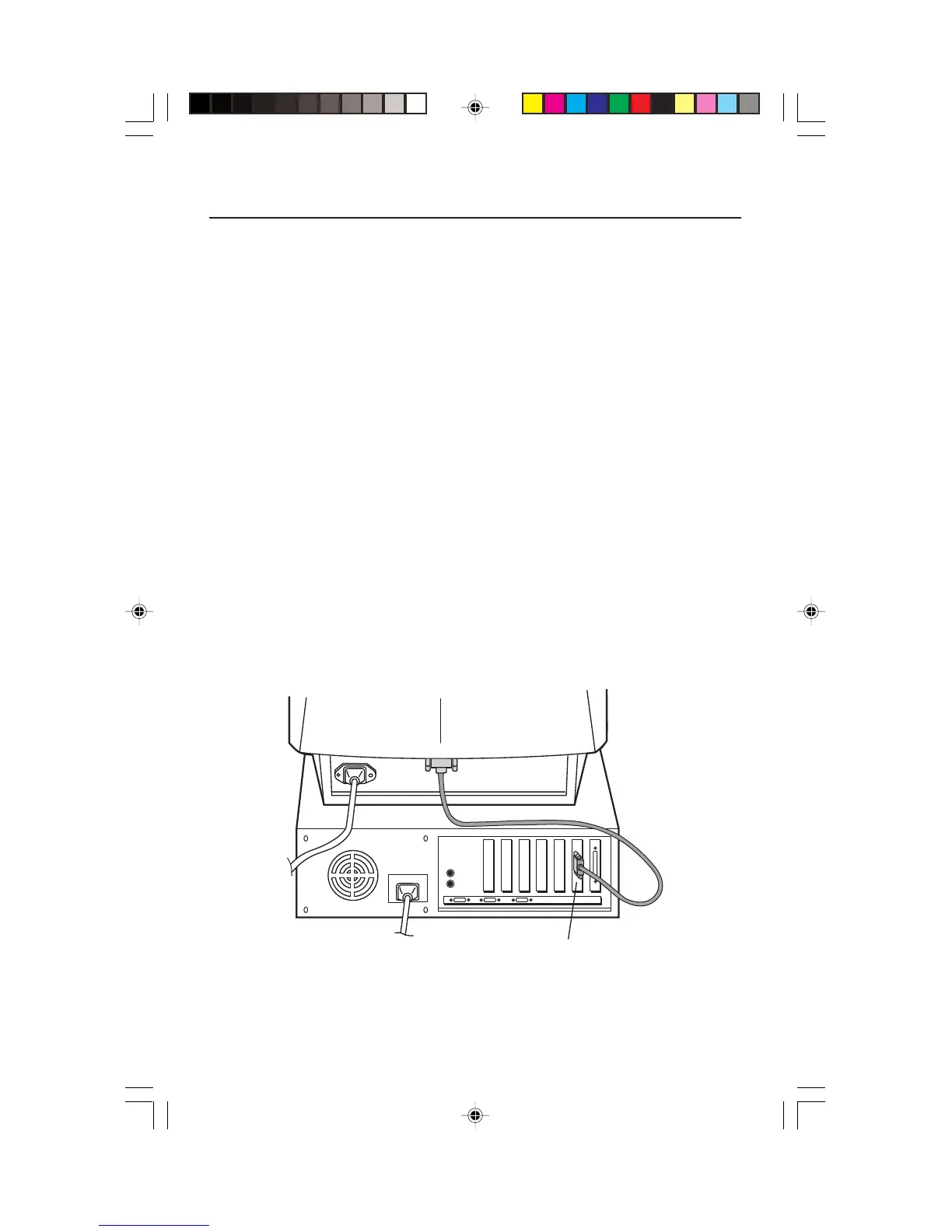
3. For the PC: Connect the 15-pin mini D-SUB of the signal cable to the
connector of the display card in your system (Figure A.1). Tighten all screws.
For the Mac: Connect the MultiSync FE1250+ Macintosh cable adapter (not
included) to the monitor connector on the Macintosh (Figure B.1). Attach the
15-pin mini D-SUB end of the signal cable to the MultiSync FE1250+
Macintosh cable adapter on the computer (Figure B.1). Tighten all screws.
NOTE: To obtain the MultiSync FE1250+ Macintosh cable adapter, call
NEC-Mitsubishi Electronics Display of America, Inc. at (800) 820-1230.
4. For download information on the Windows
®
95/98/2000 INF file for your
MultiSync monitor, refer to the References section of this User’s Manual.
5. Connect one end of the power cord to the MultiSync FE1250+ monitor and the
other end to the power outlet (Figure C.1).
6. Turn on the monitor (Figure D.1) and the computer.
NOTE: If you have any problems, please refer to the Troubleshooting section of
this User’s Manual.
15-pin mini D-DUB
Detachable Signal Cable
Figure A.1
FE1250Plus.wpc 12/6/00, 10:32 AM5







 To Next Page