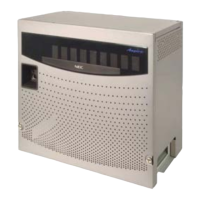
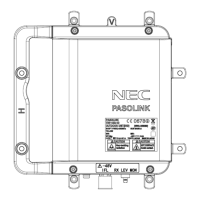
The NEC NP01LM is a USB Wireless LAN Unit designed to provide wireless network connectivity to personal computers. It offers performance comparable to an Ethernet Local Area Network (LAN) system, but without the physical limitations of network cables. This allows users to connect to a Local Area Network from anywhere within the wireless coverage area and to roam throughout the network while maintaining connectivity.
Function Description:
The NP01LM unit serves as a USB Wireless LAN adapter, enabling a computer to connect to a wireless network (WLAN). It supports various IEEE 802.11 standards, including 802.11a, 802.11g, and 802.11b, allowing for flexible connectivity options across different wireless network types. The device facilitates data exchange between the computer and wireless access points using radio waves.
Important Technical Specifications:
- Standard: USB 2.0, IEEE 802.11a, IEEE 802.11g, IEEE 802.11b
- Bus Type: USB 2.0
- Temperature:
- Operating: 0 to 45°C (32 to 113°F)
- Storing: -20 to 75°C (-4 to 167°F)
- Humidity: 80% maximum, non-condensing
- Modulation Technology: OFDM, CCK
- Security: 64/128-bit WEP, WPA, WPA2 – WiFi Protected Access
- Data Rates:
- 802.11a/g: 54, 48, 36, 24, 18, 12, 9, 6 Mbps per channel
- 802.11b: 11, 5.5, 2, 1 Mbps per channel
- Frequency Range: 2412 GHz to 2.462 GHz, 5.15GHz to 5.85 GHz
- Range: 100 - 400m, dependent on the surrounding environment
- Receiver Sensitivity:
- 54Mbps OFDM
- 48Mbps OFDM
- 36Mbps OFDM
- 24Mbps OFDM
- 18Mbps OFDM
- 12Mbps OFDM
- 11Mbps OFDM
- 9Mbps OFDM
- 6Mbps OFDM
- 5.5Mbps CCK
- 2Mbps QPSK
- 1Mbps BPSK
- Dimensions: 80 x 28 x 11 mm
- Weight: 30g
Usage Features:
- Operating System Compatibility: The device supports Microsoft Windows 2000 Professional, Microsoft Windows XP Home Edition, and Microsoft Windows XP Professional.
- System Requirements:
- USB port: USB2.0 Standard
- Memory: 32 MB or greater
- CPU: 300 MHz processor or higher
- Installation Process:
- Driver and Utility Installation: The installation involves running a
Setup.exe file. For Windows XP, administrator privileges are required. Users choose between "Ralink Configuration Tool" (recommended) or "Microsoft Zero Configuration" and can optimize for "WiFi mode" or "performance mode."
- Physical Installation: After software installation, the USB Wireless LAN Unit is physically inserted into a USB slot. The "Found New Hardware Wizard" guides the user through driver installation, typically recommending automatic software installation.
- Configuration Utility: The Ralink Wireless Utility provides a comprehensive interface for configuring the device driver. It can be accessed via Start > All Programs > Ralink Wireless > Ralink Wireless Utility.
- Link Status Monitoring: The utility displays information about the connected access point, including SSID, BSSID, signal strength, channel, link speed (Tx/Rx Mbps), throughput (Tx/Rx Kbps), link quality, and noise level.
- Site Survey: Users can view a list of available networks, including their SSIDs, BSSIDs, signal strength, channel, encryption type (Encry), authentication type (Authe), and network type (Infrastruct). The utility allows rescanning, connecting, and adding networks to a profile.
- Statistics: The utility provides detailed network connection information, including transmit statistics (frames transmitted successfully, with/without retry, failed to receive ACK, RTS frames) and receive statistics (frames received successfully, with CRC error, dropped due to out-of-resource, duplicate frames). A "Reset Counter" option is available.
- About Section: Displays version information for RaConfig, Driver, EEPROM, and Firmware, along with IP address, Phy_Address, Sub Mask, and Default Gateway.
Maintenance Features:
- Security Cautions: The manual emphasizes the importance of security settings when using wireless LAN products due to the inherent risks of radio wave transmissions. It warns about potential interception of data (personal information, passwords, credit card numbers, emails) and improper intrusions into personal or company networks, which could lead to theft of confidential information, data manipulation, or virus introduction.
- User Responsibility: Users are advised to understand these risks and make appropriate security settings based on their own decision and discretion. The device includes security measures like WEP, WPA, and WPA2 to mitigate these problems.
- Regulatory Compliance:
- FCC Statement: The device complies with FCC Part 15 rules for Class B digital devices. It is restricted to indoor use for the 5.15 ~ 5.25GHz frequency range. Users are advised on how to resolve interference issues (reorient antenna, increase separation, connect to different outlet, consult technician). Any unauthorized modifications could void the user's authority to operate the equipment.
- FCC Radiation Exposure Statement: The equipment complies with FCC radiation exposure limits for uncontrolled environments. End users must follow specific operating instructions for RF exposure compliance. The transmitter must not be co-located or operating in conjunction with any other antenna or transmitter. SAR compliance is established for typical laptop computers with USB slots; use with other devices like handheld PCs is not verified and may be prohibited.
- Industry Canada Statement: The device complies with RSS-210 rules. Operation is subject to two conditions: no harmful interference and acceptance of received interference. For the 5150-5250 MHz band, it is for indoor usage only to reduce potential for harmful interference to co-channel mobile satellite systems. High-power radars in 5250-5350 MHz and 5650-5850 MHz bands may cause interference or damage to license-exempt LAN devices.
- VCCI (Japan) Statement: The device is a Class B information technology equipment based on VCCI standards, intended for home use. Users are advised to follow instructions to prevent reception interference with radios and televisions.
- Taiwan Region Warning: The device is certified as a low-power radio frequency motor. Unauthorized changes to frequency, power, or design are prohibited. Its use must not affect flight safety or interfere with legal communications. If interference occurs, use must cease until improvements are made. Legal communication refers to operations under telecommunications law. The device must tolerate interference from legal communications or industrial, scientific, and medical radio wave radiation equipment.
- Korean Warning: The packaging and user manual include warnings about potential radio interference during operation and that services related to human safety cannot be provided due to radio interference.

 Need help?
 General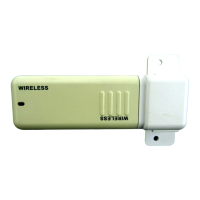

 To Next Page