3
TileMatrix Setup in Advanced Option Menu
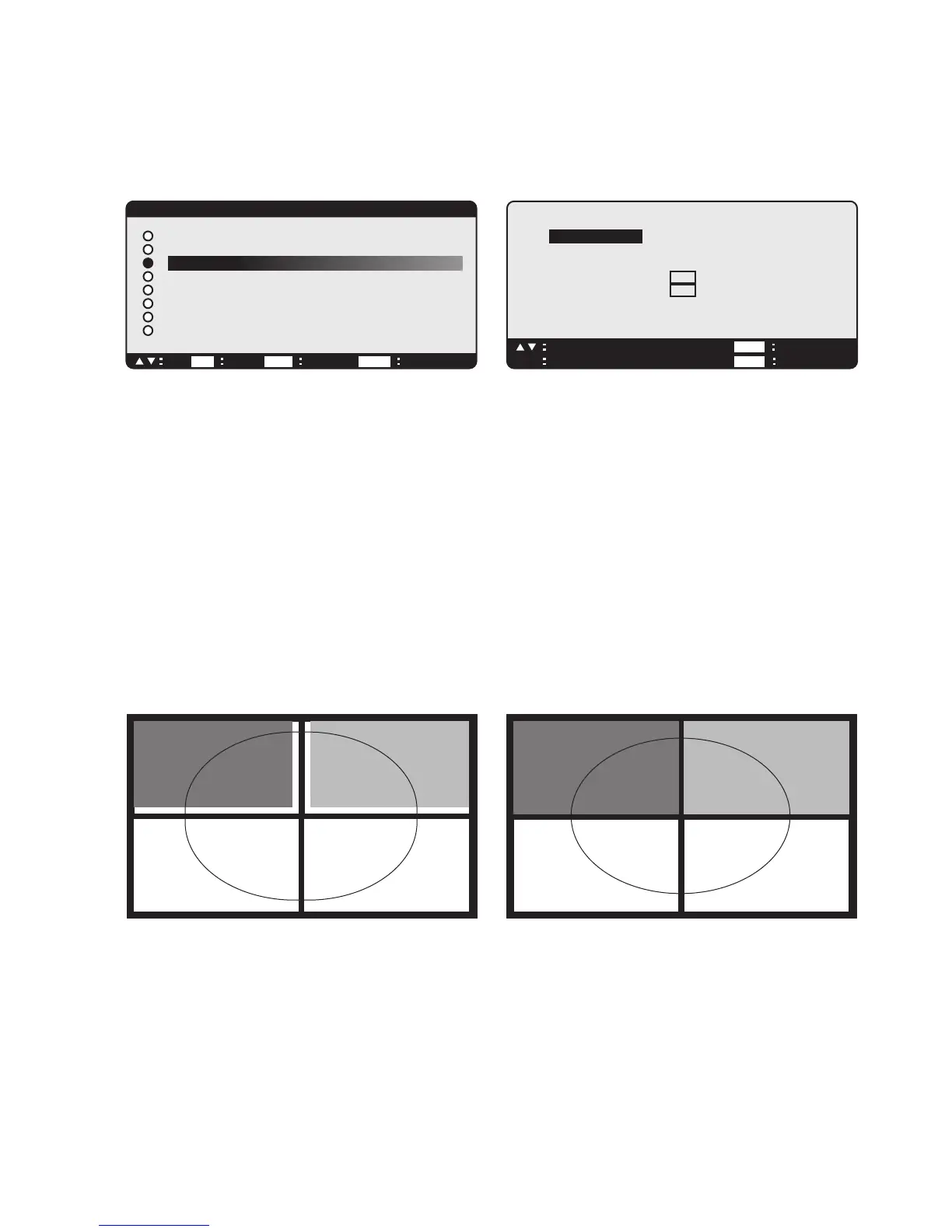
The TileMatrix feature located in the “Advanced Option” menu in the OSD (On-Screen Display) Controls. While
location may vary depending on the model, the setup procedures remain the same.
• The “TileMatrix” feature allows one image to be displayed over multiple screens.
• POSITION: Set the position whithin the matrix for each display.
• TILE COMP: Works in tandem with “TileMatrix” to compensate for the width of the tiled bezels in order to
accurately display the image.
• ENABLE: Select “YES”, to expand the signal to the selected settings.
TILE COMP using 4 displays (black area represents Display frames).
“Tile Comp” OFF “Tile Comp” ON
• The “EXPANSION” mode will be set to “FULL” when the “TileMatrix” is activated. The display number is the
location of the display in the expanded screen.
Display 3
Display 1
Display 4
Display 2
Display 3
Display 1
Display 4
Display 2
ADVANCED OPTION
NEXT RETURN EXIT MENUSEL
MONITOR ID
IR CONTROL
HEAT STATUS
POWER ON DELAY
DATE & TIME
SCHEDULE
ADVANCED OPTION RESET
H MONITORS 2
V MONITORS 2
POSITION 1
TILE COMP
YES
/
NO
ENABLE
YES
/ NO
EXIT MENUADJ
+–
SEL RETURN
SET EXIT GO TO
EXIT
GO TO
TILEMATRIX
TILEMATRIX


 To Next Page
 Loading...