Need help?
Do you have a question about the NEC V423 and is the answer not in the manual?
Details technical specifications of the LCD display including resolution, aspect ratio, and power consumption.
Provides essential notes for safe and compliant installation, including structural support and aspect ratio display.
Details the maximum angles for tilting the monitor in landscape or portrait orientation.
Important note regarding covering ventilation openings and the need for alternative ventilation methods.
Provides detailed dimensional drawings of the 42" LCD display without any accessories.
Details display dimensions, mounting hole patterns, and button control locations.
Illustrates the overall dimensions of the display when equipped with the optional ST-322 stand.
Provides specific dimensional drawings for the ST-322 table top stand accessory.
Details the dimensions of the optional rear-mounted SP-RM2 speaker accessory.
Shows the display dimensions when using the optional WMK-3257 wall mount kit, including extender brackets.
Clarifies that the drawing illustrates the display with 400mm extender brackets included with the WMK-3257 mount.
Identifies the input ports located on the bottom and side of the display unit.
Lists serial control codes for various monitor functions like power, input selection, and sound.
Provides information on serial communication protocol, interface, and cable connection requirements for control.
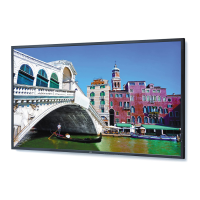
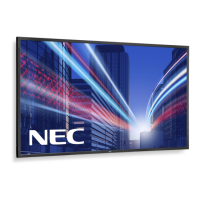
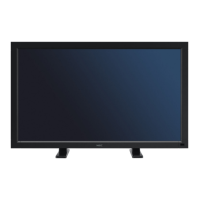
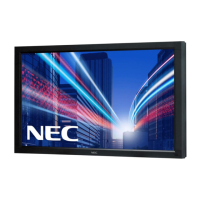
The NEC V423 is a 42-inch LCD display designed for various professional applications, offering a blend of robust functionality and user-friendly features. This installation guide provides comprehensive details to ensure proper setup and optimal performance of the display.
The V423 functions as a high-definition LCD display, capable of presenting content at a native resolution of 1920 x 1080 pixels with a 16:9 aspect ratio. It is designed for both landscape and portrait orientations, offering flexibility in how it can be integrated into different environments. The display supports various input sources, including DisplayPort, DVI, VGA, HDMI, DVD/HD, VIDEO, S-VIDEO, and an OPTION input, making it versatile for connecting to a wide range of devices.
The display includes internal 10W speakers, providing integrated audio capabilities without the need for external sound systems in many scenarios. For more demanding audio requirements, optional rear-mounted speakers (SP-RM2) can be added.
Communication with the display is facilitated through an RS-232C interface, allowing for remote control and integration into larger control systems. This serial communication protocol enables functions such as power on/off, input source selection, and sound mute control, making it suitable for automated or centralized management.
The V423 is engineered for ease of installation and flexible deployment. It can be mounted using a 300mm mounting hole pattern (M6 Depth 12mm) for wall or bracket installations. For tabletop use, an optional stand (ST-322) is available, providing a stable and aesthetically pleasing solution. An optional wall mount kit (WMK-3257) with 400mm extender brackets is also available for specific mounting needs.
The display supports both landscape and portrait orientations, with specific ventilation recommendations provided for each to ensure optimal operating temperatures. The maximum tilt angle for the display is 20.0 degrees, and it supports clockwise rotation only when used in portrait mode, allowing for precise positioning and viewing angles.
The display's control buttons are conveniently located, providing direct access to essential settings. For remote management, the RS-232C interface allows for comprehensive control using specific command codes. This feature is particularly useful in multi-display installations or environments where manual interaction with each display is impractical. The communication protocol is asynchronous, with a baud rate of 9600 bps, 8 data bits, no parity, and 1 stop bit, ensuring reliable data exchange.
The V423 is designed to handle 4:3 aspect ratio sources on its 16:9 screen. Users can choose to display these sources in their normal aspect ratio with black bars on the sides, or stretch them horizontally to fill the screen using the display's menu options, providing flexibility in content presentation.
Maintaining the V423 involves ensuring proper ventilation and understanding its operational parameters. The installation guide provides detailed ventilation recommendations, specifying minimum clearances (10cm or 4 inches) around the display on all sides to prevent overheating. These guidelines are crucial for prolonging the display's lifespan and ensuring stable operation, especially in enclosed or custom installations. The ventilation space should not be covered or closed off at the front of the opening; if necessary, alternative ventilation methods should be incorporated, and NEC should be consulted for design review.
The display's operating temperature range is specified for both landscape and portrait modes (5-40°C or 41-104°F), which helps in planning its deployment in various environmental conditions. Adhering to these temperature limits is essential for reliable performance.
The RS-232C communication interface not only allows for remote control but also facilitates potential diagnostic and configuration tasks, which can be part of a maintenance routine. The guide provides specific command codes for various functions, which can be used to test and adjust display settings remotely.
The document emphasizes that any ceilings or walls used for mounting must be strong enough to support the monitor and that installations must comply with local building codes. All mounts should make secure contact with wood studs, highlighting the importance of structural integrity for safe installation.
The guide also notes that distances provided in the dimensions are in inches (with a conversion factor of 25.4 for millimeters) and may vary by ±5%, which is important for precise planning and installation. This attention to detail helps installers account for minor variations during setup.
 General
| Aspect Ratio | 16:9 |
|---|---|
| Response Time | 8 ms |
| Screen Size | 42 inches |
| Resolution | 1920 x 1080 |
| Panel Type | IPS |
| Viewing Angle | 178°/178° |
| Connectivity | DVI-D, DisplayPort, HDMI, VGA |

 To Next Page