25
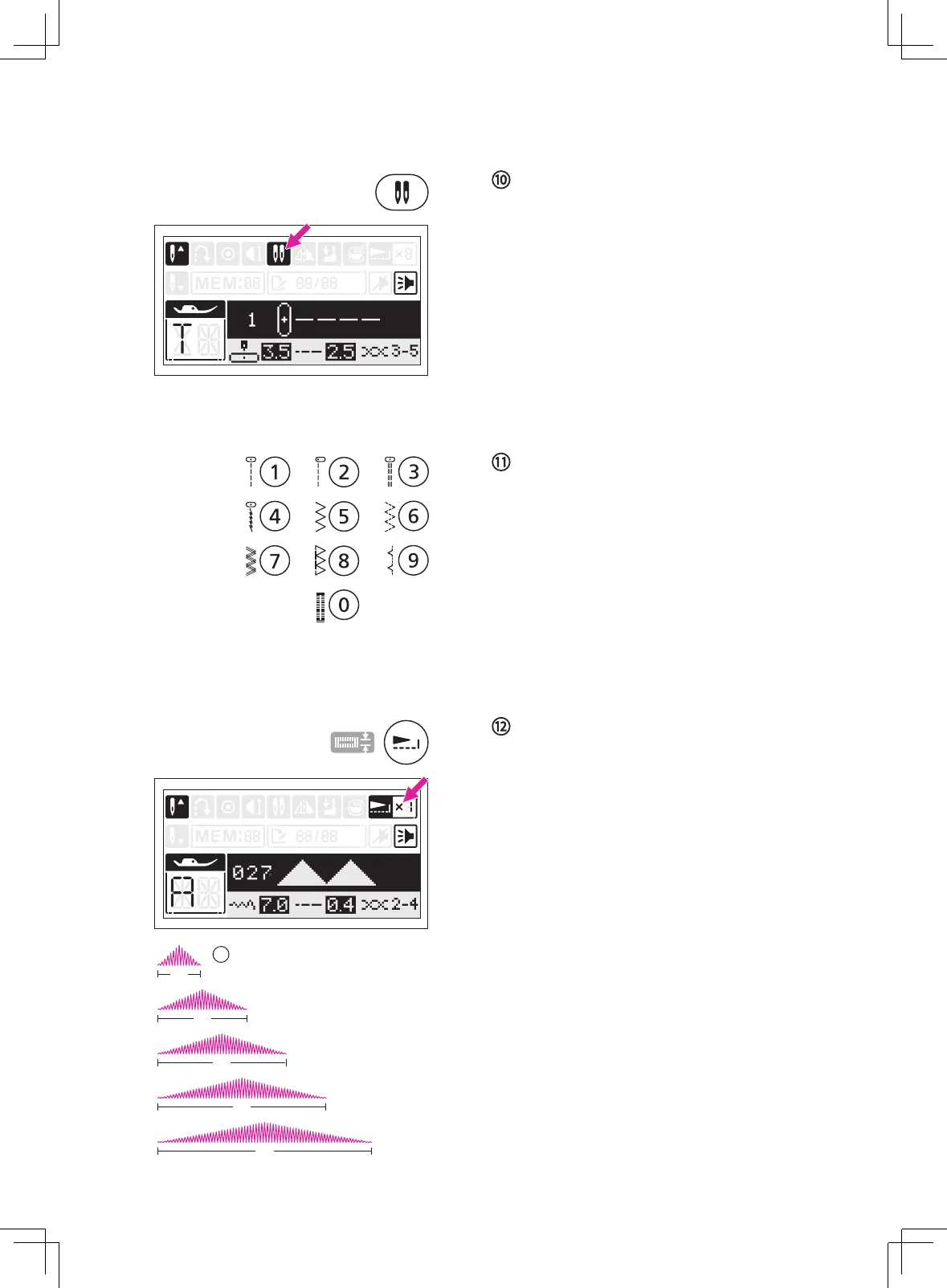
Twin needle button
Press the twin needle button, the LCD screen
will display the twin needle icon.
The machine automatically reduces the
maximum width for the twin needle sewing.
Please refer to "Twin needle" chapter for more
information. (Page 75)
Press the button again to return to single
needle sewing.
Direct stitch selection and number
buttons
Under
Direct Pattern Group, press the buttons
to select the direct stitches shown beside the
number buttons.
Under Regular Pattern Group and Alphabet
Group Patterns, refer to the stitch pattern
plate and use the number buttons 0-9 to
select the preference stitches.
Elongation button
When the satin stitch is selected, Regular
Pattern Group 027-046 can be elongated
up to 5 times its normal size by pressing the
elongation button.
The LCD screen will display the elongation
icon and the machine will continue to sew the
elongation stitch until the elongation button is
pressed again.
When the width or length or stitch is changed,
a greater variety of stitches are available.
①
Normal stitch size
X1
X2
X3
X4
1



 To Next Page