I. Key “MODE”. Under the normal mode, shortly pressing
the key “Mode” to switch over the mode; CLOCK set,
shortly pressing“Mode”once to add “1”.
J. Key “Light”. Shortly pressing the key “Light” can
adjust the state of the back light
K. Key “SET”. Under the mode of “ODO”, long pressing
the key “Set” for 2S to switch over the Km/Mile; Under
the mode of “TRIP”,long pressing the key “Set” for 2S
to switch over the Km/Mile; Under the mode of “CLOCK”,
and the vehicle does not work, long pressing the key
“Set” for 2S to set the CLOCK, shortly pressing the key
“Set” to switch over the set mode; Under the normal
mode, shortly pressing the key “Mode” to switch over
the mode.
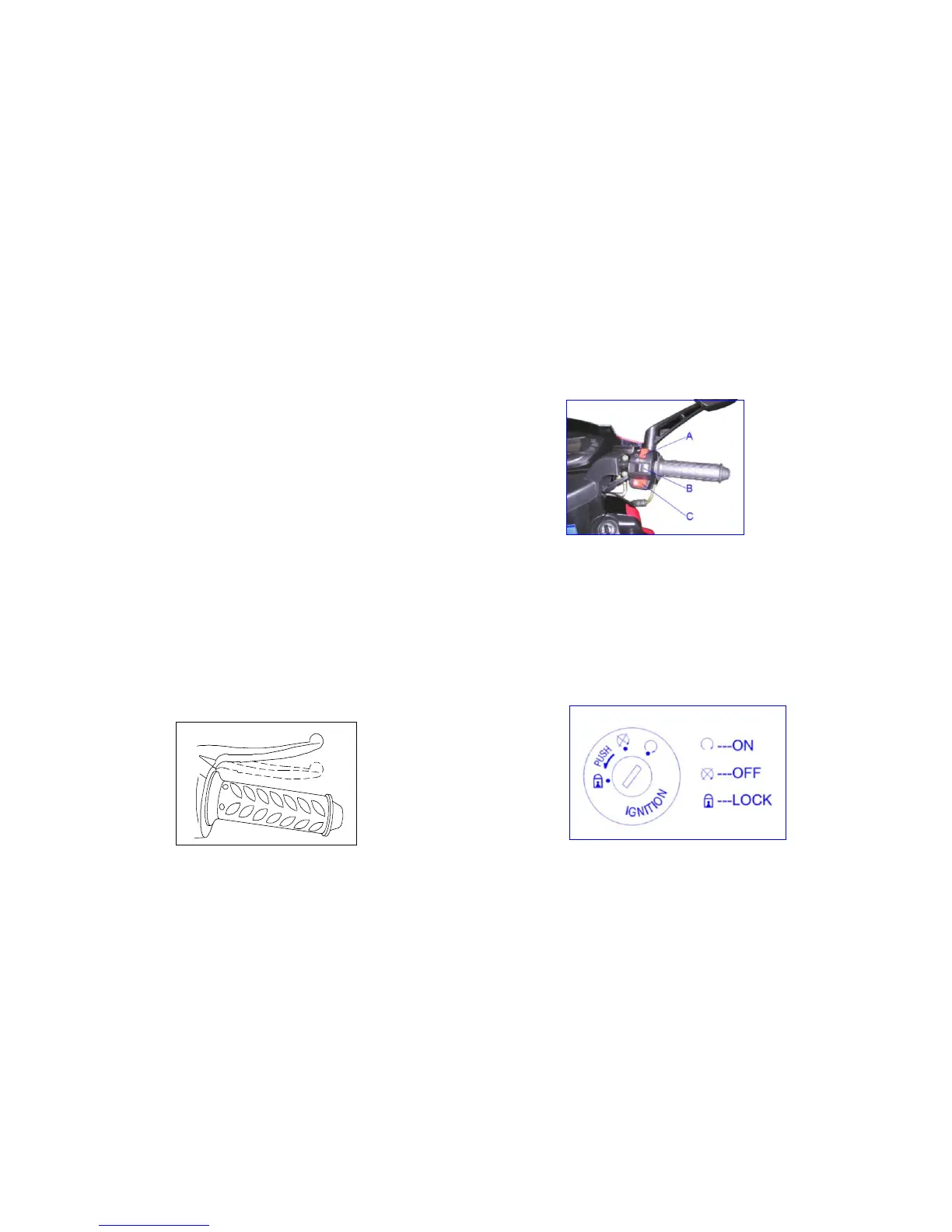
4. Front brake lever
Hold it tightly and the front brake works.
5. Switches on the right
A. Off switch
B. Head light switch
C. Electric starting button
When the ignition switch is at ON position, hold the
brake and press the electric starting button and then the
engine starts.
6. Ignition switch



 To Next Page