EasyManua.ls Logo

Necta Vending Solutions SpA Sfera - Page 52

Default Icon
68 pages
Print Icon
To Next Page IconTo Next Page
To Previous Page IconTo Previous Page
Loading...
© by NECTA VENDING SOLUTIONS SpA
48
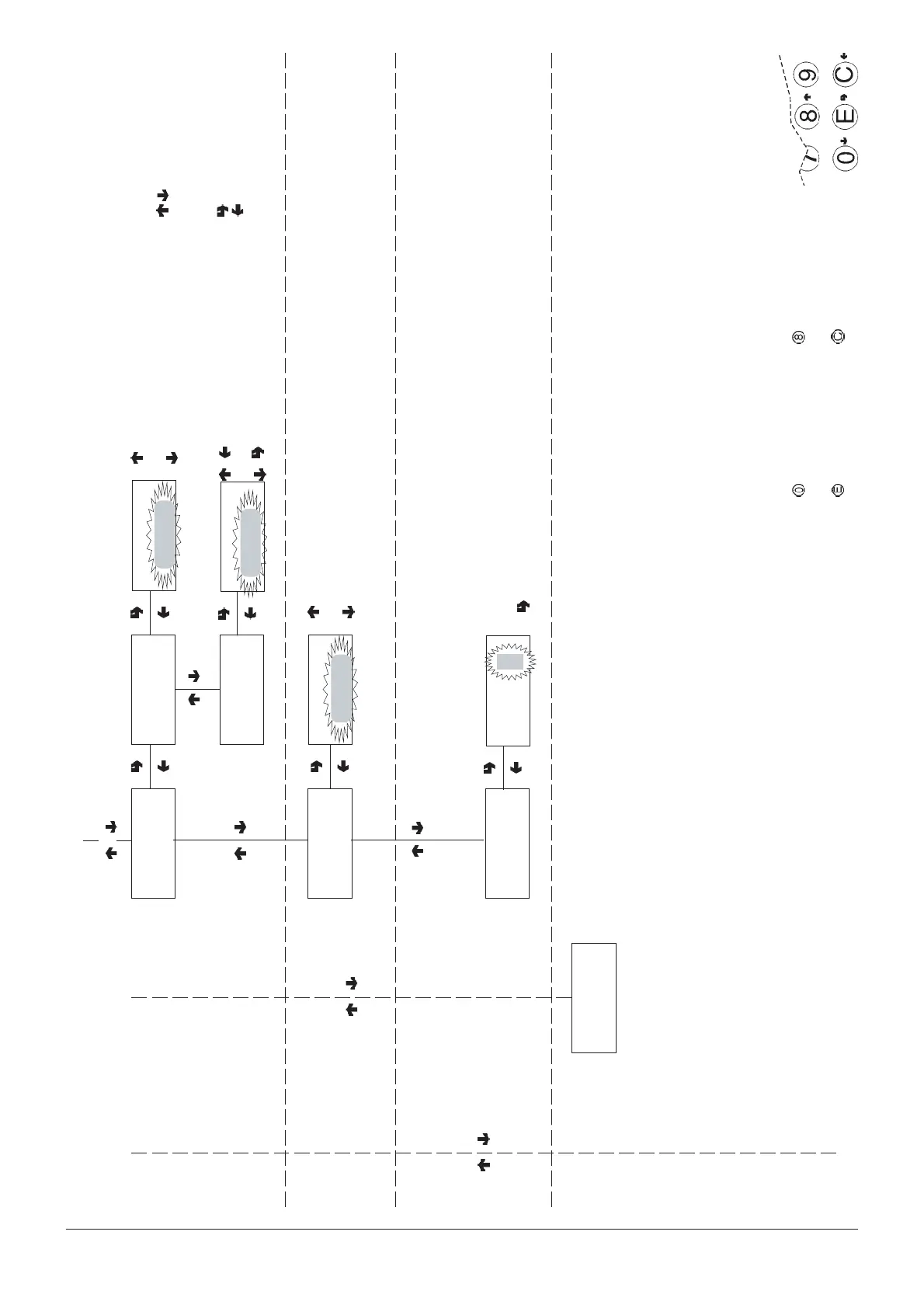
Technician menu - Summary
0404 211 - 02
CONFIRM DATA/
CONFIRM FUNCTION
DELETE DATA/
EXIT FUNCTION
PREVIOUS FUNCTION/
DECREASE DATA UNIT (-1)
NEXT FUNCTION/
INCREASE DATA UNIT (+1)
TECH >2.4.4
Person. strings
Enable pers. str.
TECH >2.4.4.2
Prog. pers. str.
Letter scrolling in a
sequence (20 characters per
4 lines)
Next letter
Next string (1 to 30)
CHANGE STRINGS
TECH >2.4.5
Display counters
TECH >2.4.4.1
Enable pers. str.
Change string 1
Line 1
ON/OFF
Display counters
ON/OFF
TECH >2.4.6
Contrast control
Contrast control
K = (5 - 99)
Displaying the general
counter when the machine is
switched on
##
Enter the percentage value
from the keypad
TECH >2.5
Miscellaneous