Using a Nectar Pacer MIDI Foot Controller with a Korg Pa2X
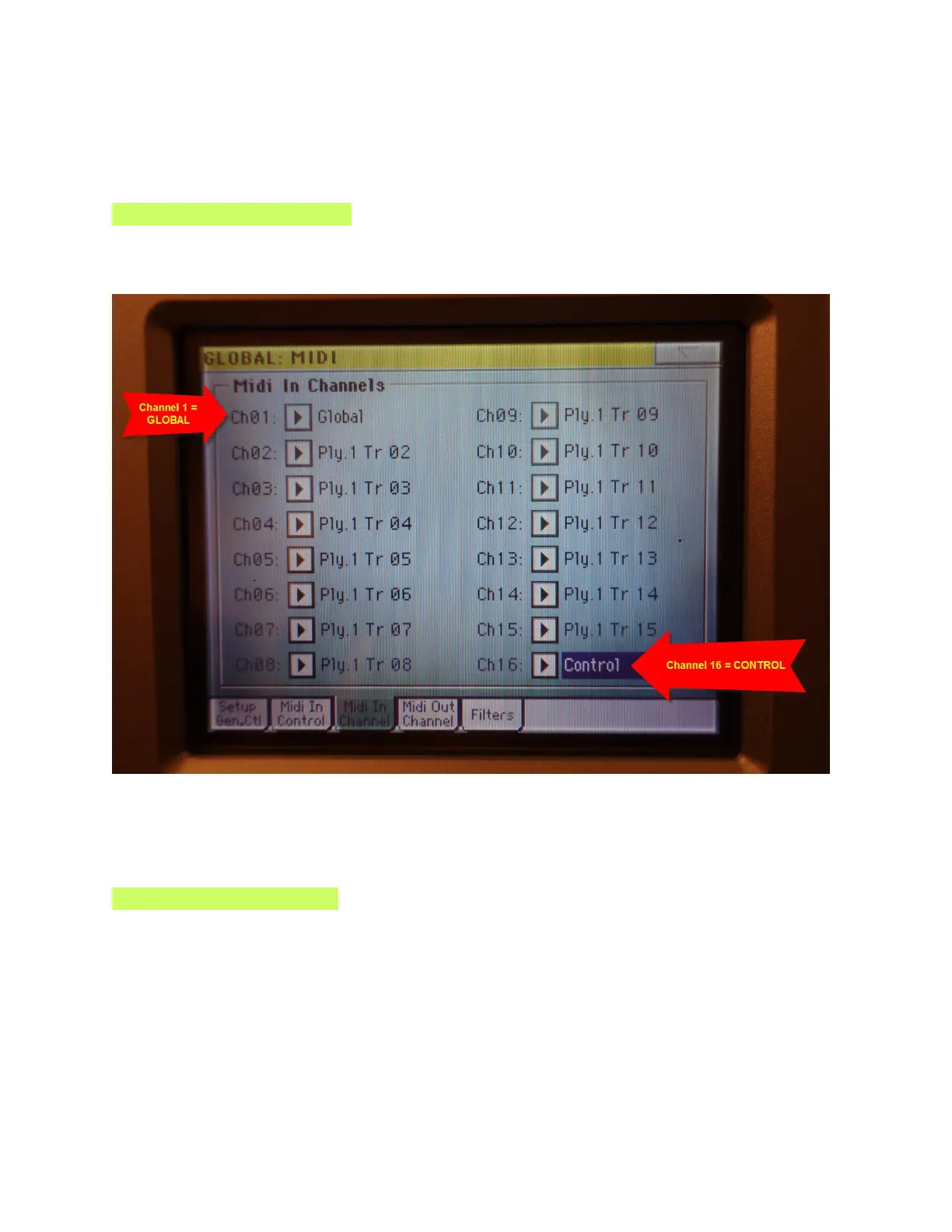
Open the MIDI IN CHANNEL Tab
Very important!!!
Set MIDI Channel 16 = CONTROL
Nothing will work unless you set this Control Channel.
The Nectar Pacer will transmit the Program Change values on MIDI CHANNEL 16.
This will control the Style Elements.
Set MIDI Channel 01 = GLOBAL
This is important if you wish to connect a Stage Piano like the Roland RD-700GX as an 88-Key
controller to your Korg Pa2X. This controller keyboard will be communicating via the Global MIDI
Channel.


 To Next Page