5
7. Snap A
q
into A
e
and fasten with the exhaust nozzle screw
A
y
.
Assembling the continuous drainage (optional)
1. Open the continuous drainage outlet A
1
.
2. Connect A
1
to a water container or drainage system (not
included).
Using the control panel
C7
Switch the product on or o.
C
6
Switch between cooling, dehumidifying and fan mode.
C
2
Switch between high, middle and low fan speed. In
dehumidifying mode, pressing C
2 switches the fan
to low speed.
C
1 Press C1 and use C3 and C5 to set the duration
of cooling.
C
4
Display
C
8
Indicates that cooling mode is active.
C
9
Indicates that dehumidifying mode is active.
C
q
Indicates that fan mode indicator is active.
C
w
Indicates that the water reservoir is full.
C
e
Indicates that the temperature is set in Celsius (°C).
C
r
Indicates that the temperature is set in Fahrenheit (°F).
C
t
Indicates that timer mode is active.
C
u
Indicates that the product is on or o.
C
y
Indicates that the product is in sleep mode.
C
23 Press C2 and C3 simultaneously in cooling mode to
the switch to sleep mode. The air conditioner will work
quiet and in energy saving mode.
C
35 Press C3 and C5 in cooling mode to set the desired
temperature. Press C
3 and C5 simultaneously to
switch between Celsius (°C) and Fahrenheit (°F).
Using the remote
D1
Display
D
2
Switch the product on or o.
D
3
Activate timer mode.
D
4
Activate oscillation.
D
5
Activate sleep mode. Only works in cooling mode. After
one hour the set temperature increases 1 °C and again
after 2 hours.
D
6
Increase and decrease values.
D
7
Switch operating mode.
D
8
Switch fan speed.
D
9
Switch between Celsius and Fahrenheit.
Manual drainage
1. C
w
ashes and the product emits an alarm sound to indicate
that the water reservoir is full.
2. Switch o the product using C
7
3. Unplug A
7
.
4. Place a water container underneath A
3
.
5. Unscrew the manual drainage cap.
6. Remove the water plug.
7. Slightly tilt the product backwards to ensure all water leaves the
reservoir.
8. Put back the plug and screw the drainage cap back on.
Specications
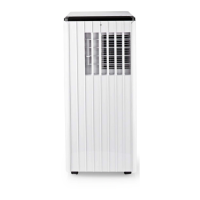
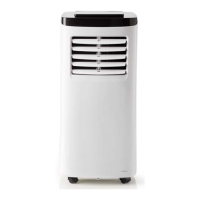
Product Mobile air conditioner
Article number ACMB2BK12
Dimensions (l x w x h) 420 x 360 x 720 mm
Weight 27.5 kg
Input voltage AC 220 - 240 V ~ 50-60 Hz
Required power 1357 W
Energy class A
Energy eciency ratio (EER) 2.6
Noise level ≤ 65 dB
Cooling capacity 12000 BTU
Room size capacity 78 m
3
Air circulation 400 m
3
/h
Dehumidication 28 l/day
Refrigerant R290 / 230 g
Power plug Schuko CEE 7/7
c
Kurzanleitung
Mobile Klimaanlage ACMB2BK12
Weitere Informationen nden Sie in der
erweiterten Anleitung online: ned.is/acmb2bk12
Bestimmungsgemäße Verwendung
Die Nedis ACMB2BK12 ist eine mobile Klimaanlage zum Kühlen und
Entfeuchten von Räumen.
Das Produkt ist ausschließlich zur Verwendung als mobile
Klimaanlage für den Hausgebrauch zum Einsatz in Innenräumen
bestimmt.
Jegliche Modikation des Produkts kann Folgen für die Sicherheit,
Garantie und ordnungsgemäße Funktionalität haben.
Hauptbestandteile (Abbildung A)
Dauerabuss
Luftauslass
Manueller Abuss
Stromkabel
Stromkabelaufwicklung
Lufteinlass
Schwenklüftungsschlitze
Bedienfeld
Abluftschlauch
Abluftdüse
Abluftschlauchanschluss
Fenster-Kit
Fernbedienung
Fenster-Kit Befestigungen
Abluftdüsenschraube
Sicherheitshinweise
-
WARNUNG
• Lesen Sie alle Warnungen sorgfältig durch.
• Die Gebrauchsanweisung ist für den Endbenutzer gedacht. Lesen
Sie diese Informationen sorgfältig durch, bevor Sie das Produkt
installieren oder verwenden.
• Verwenden Sie das Produkt nur wie in dieser Anleitung
beschrieben.
• Kinder ab dem achten Lebensjahr und Personen mit
eingeschränkten körperlichen, sensorischen oder geistigen
Fähigkeiten oder ohne ausreichende Erfahrung und Kenntnis
dürfen dieses Produkt nur dann verwenden, wenn sie
beaufsichtigt werden oder in die sichere Benutzung des Produkts
eingewiesen wurden und die bestehenden Gefahren verstehen.


 To Next Page