8
Switching the product on/o
1. Press and hold A
3
for 3 seconds to switch the product on or off.
4
The product automatically switches off when it is not paired within 10
minutes.
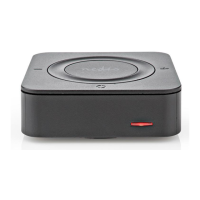
Receiver mode (image C)
Option 1: Using an AUX connection
1. Set the AUX / SPDIF switch A
1
to AUX.
2. Set the mode switch A
7
to RX.
3. Plug the 3.5 mm to 3.5 mm audio cable B
r
into the AUX A
8
.
4. Plug the other end of B
r
into the audio output device.
4
You can also connect an audio device with the stereo audio cable 2x RCA
male to 3.5 mm female B
e
.
Option 2: Using an SPDIF connection.
1. Set the AUX / SPDIF switch A
1
to SPDIF.
2. Set the mode switch A
7
to RX.
3. Plug the SPDIF optical cable B
y
into the SPDIF output (Rx) A
q
.
4. Plug the other end of B
y
into the audio output device.
5. Switch on the product.
Press and hold A
4
to turn the volume up.
Press and hold A
2
to turn the volume down.
4
A
6
Blinks blue.
6. Enable Bluetooth on the device you want to pair.
7. Press Bluetooth button A
5
to start pairing.
8. Select "BTTC200BK" from the list of available Bluetooth devices on your
device.
4
If asked, enter the pairing code '0000'.
4
A
6
blinks slowly to indicate pairing is successful.


 To Next Page