7
• Do not short-circuit a cell or a battery.
• In the event of a cell leaking, do not allow the liquid to come in contact with
the skin or eyes. If contact has been made, wash the affected area with
copious amounts of water and seek medical advice.
• Do not use any charger other than that specifically provided for use with the
equipment.
• Do not cover ventilation openings.
• Be careful when using the product while driving. Always focus your attention
on the road.
• Do not place the product near heat sources, this can damage the product.
• Do not expose the product to very hot or very cold temperatures or drastic
changes in temperature or humidity.
• Do not install the product within the operation range of the airbag.
• Ensure the product and the power cable are installed and do not interfere
with the sight of the driver or impede with the operation of any driving
controls.
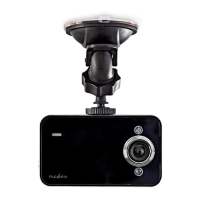
Installing the product (image B)
Before using the product, the user shall check the applicable laws and
regulations on the use of the product.
Before using the product, the user shall check the applicable laws and
regulations on the use of the product.
In some jurisdictions, the use of this product can be considered as an invasion
of privacy.
The mounting of the product on the windshield might be regulated by law in
some jurisdictions.
It is the user’s own responsibility to consult the local laws and regulations
before installing and using this product.
4
Switch off the car engine.
1. Clean and degrease the spot where you want to fix the product.
4
Place the product just behind or below the rearview mirror.
2. Place suction fix A
1
on the windshield.
3. Use the suction fix clip A
2
to fix the product to the windshield.
4. Insert a microSD card (not included) into the microSD card slot A
t
.
5. Adjust the position of the camera A
y
for optimal view of the road.
4
Ensure the product and the power cable are installed and do not interfere
with the sight of the driver or impede with the operation of any driving
controls.


 To Next Page