6
a
Quick start guide
DVB-S Set Top Box DVBS2265BK
For more information see the extended manual online:
ned.is/dvbs2265bk
Intended use
• The Nedis DVB-S Set Top Box allows you to view DVB-S Digital
Television broadcasts on your TV and is exclusively meant for this
purpose.
• The product is intended for indoor use only.
• Any modication of the product may have consequences for
safety, warranty and proper functioning.
Parts list
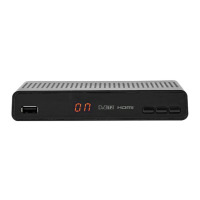
Front Panel [see image A]
1
LED display Channel number indicator.
2
Change channel button Channel down.
3
Change channel button Channel up.
4
Power button Set Top box on/o switch.
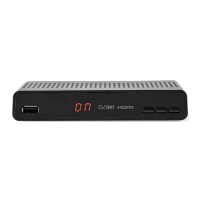
Rear panel [see Image B]
1
LNB IN Satellite dish cable connection.
2
USB port USB ash drive connection (record / play video
les).
3
HDMI OUT Digital connection (TV or AV-receiver).
4
AV Analogue mini AV socket (CVBS+L/R)
5
RS-232 Serial port for rmware upgrade.
6
LAN Ethernet cable connection (home network).
7
DC IN Mains adapter connection.
DVBS2265BK__MAN_COMP_0719_(19314 1422)_85x120_booklet_V03.indd 6 16-7-2019 12:50:13



 To Next Page