4
a
Quick start guide
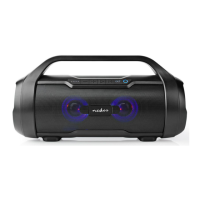
Bluetooth Boombox SPBB320BK
For more information see the extended manual
online: ned.is/spbb320bk
Intended use
This product is intended to stream audio from your media device
via Bluetooth, audio cable or from a USB ash drive.
The product is not intended for professional use.
Consult the local laws and regulations for this product before
installing and using.
Any modication of the product may have consequences for safety,
warranty and proper functioning.
Main parts (image A)
Battery indicator LED
Press and hold to decrease volume.
Press to skip to the beginning of the track.
Double press to skip to the previous track.
Press and hold to increase volume.
Press to skip to the next track.
Play or pause the music.
Press to switch between Bluetooth, USB and AUX.
True Wireless Stereo (TWS) button
Power button
USB port
Micro USB charging port
Aux port (3.5) mm
USB charging cable
3.5 mm audio cable
Safety instructions
-
WARNING
• Only use the product as described in this manual.
• Do not use the product if a part is damaged or defective.
Replace a damaged or defective device immediately.
• Disconnect the product from the electrical outlet and other
equipment if problems occur.
• Do not expose the product to water or moisture.
• Replace a damaged or defective product immediately.
• Do not immerse the product in water.
• Do not charge when the product is wet.
• Do not leave a battery on prolonged charge when not in use.
• Do not dismantle, open or shred batteries.
• Do not drop the product and avoid bumping.
• This product may only be serviced by a qualied technician for
maintenance to reduce the risk of electric shock.
• Do not expose the product to direct sunlight, naked ames or
heat.
• The handle is exclusively intended to carry the weight of the
product.
• Retain the original product literature for future reference.
Charging the product
1. Plug A
w
into A
9
.
2. Plug the other end of A
w
into a 5V/1A USB adapter (not
provided).
3. Plug the USB adapter into a power outlet.
Pairing the product to Bluetooth audio source
1. Press and hold A
7
to switch on the product.
The LED blinks quickly to indicate pairing mode is active.
2. Activate Bluetooth on your audio source and connect with the
product (SPBB320BK).
The LED stops blinking to indicate pairing is succesful.
Connecting with audio cable
1. Plug A
e
into A
q
.
2. Plug the other end of A
e
into your audio source.
4
Playing music without Bluetooth disconnects Bluetooth. Press
A
5
until the product is in Bluetooth mode to connect to your
Bluetooth audio source again.
Playing music from a USB or microSD ash
drive
1. Insert a USB ash drive in A
8
.
4
Music from your USB ash drive plays automatically.
4
Press A
2
and A
3
to skip between tracks.
4
Press A
4
to play or pause music.
Pairing two speakers with TWS
4
TWS only works with two speakers of the same type.
1. Switch on both speakers and set them to Bluetooth mode with
A
5
.
2. Press A
6
on one of the speakers for 4 seconds.
The product emits a tone to indicate entering pairing mode.
3. Activate Bluetooth on your audio source and connect with the
product.
The product emits three tones and A6 lights up to indicate
pairing is successful.
Activating voice assistant
1. Set the product to Bluetooth mode.
2. Press and hold A
4
to activate voice assistant.
Specications
Product Bluetooth Boombox
Article number SPBB320BK
Dimensions (d x w x h) 140 x 370 x 190 mm
Weight 2.6 kg
Features True Wireless Stereo (TWS)
RMS audio output 2 x 22 W
Peak audio output 90 W


 To Next Page