4
4. Select "SPBT6000" from the list of available Bluetooth devices on
your device.
4
A
6
lights up to indicate pairing is successful.
4
The speaker will switch o automatically after 45 minutes of
inactivity.
Link multiple speakers
4
You can link up to 100 SPBT6000BK speakers to each other.
1. Press A
9
on the rst speaker to switch it on.
2. Press A
8
to enter Link mode. A
56
will start blinking.
3. Press A
9
on the second speaker to switch it on.
4. Press A
q
. A
5
starts blinking.
4
When the speakers are successfully linked, A
5
lights up
continuously on the master speaker and the subspeaker will blink.
4
A
5
stops blinking after 2 minutes to indicate Link mode has
ended.
5. Repeat these steps for every speaker you want to link.
6. Connect your audio source to the master speaker to play music.
See paragraph Bluetooth pairing.
Controlling the music
1. Press A
e
to play or pause the music.
2. Press A
w
or A
r
to change the volume.
3. Press and hold A
r
for 2 seconds to skip to the next track.
4. Press and hold A
w
for 2 seconds to skip to the previous track.
Wired connection
1. Connect a 3.5 mm audio cable into A
u
and the other end to
your audio source.
4
A
4
lights up.
2. Start playing music.
Using a voice assistant
• Press A
e
twice to activate the voice assistant on your audio
source.
Using the speaker as a powerbank
• Connect a USB cable to A
i
and the device you want to charge.
Resetting the speaker
• Push a thin rod, like a paper clip, in A
y
. The speaker will reset.
Specications
Product Bluetooth® speaker
Article number SPBT6000BK
a
Quick start guide
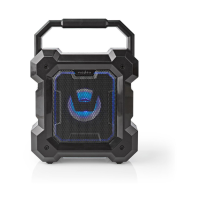
Bluetooth® speaker SPBT6000BK
For more information see the extended manual
online: ned.is/spbt6000bk
Intended use
The product is exclusively intended to be used as a Bluetooth speaker.
Any modication of the product may have consequences for safety,
warranty and proper functioning.
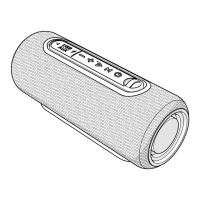
Main parts (image A)
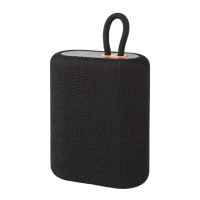
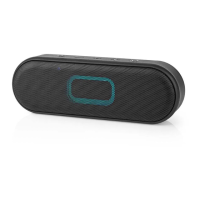
Bluetooth® speaker
Speaker grill
Carrying strap
AUX indicator LED
Multi-link indicator LED
Bluetooth indicator LED
Battery indicator LED
Multi-link master button
Power switch
Multi-link sub button
Volume- button
Play / pause / voice assistant
Volume+ button
Power input
Reset opening
3.5 mm input
USB power output
Safety instructions
-
WARNING
• Read the instructions before use.
• Only use the product as described in this manual.
• Do not use a damaged product.
• This product may only be serviced by a qualied technician for
maintenance to reduce the risk of electric shock.
Charging the product
4
The battery is only partially charged upon delivery. Fully charge
the battery before rst use.
1. Connect the power cable to A
t
and a power outlet.
2. Charge the battery for at least 6 hours when you use it for the
rst time.
Bluetooth pairing
1. Press A
9
to switch on the product.
2. Press A
e
for 2 seconds.
4
The speaker says: "Bluetooth pairing".
3. Enable bluetooth on the device you want to pair the speakers
with.
SPBT6000BK_MAN_COMP_(19519 1422)_V00_04.indd 4 6-9-2019 14:57:10


 To Next Page