5
Connecting a microphone or guitar
1. Plug a microphone (not included) into the microphone input A
3
.
4
Sounds and voices picked up by the microphone are amplied
through the speaker.
2. Plug a guitar (not included) into the guitar input A
2
.
3. Switch on the connected audio devices.
4. Rotate the microphone volume dial A
5
or guitar volume dial
A
4
to adjust the volume to the desired sound level.
Disposal
The product is designated for separate collection at an
appropriate collection point. Do not dispose of the product
with household waste.
For more information, contact the retailer or the local
authority responsible for the waste management.
Declaration of Conformity
We, Nedis B.V. declare as manufacturer that the product SPPT800BK
from our brand Nedis®, produced in China, has been tested according
to all relevant CE standards and regulations and that all tests have
been passed successfully. This includes, but is not limited to the RED
2014/53/EU regulation.
The complete Declaration of Conformity (and the safety datasheet if
applicable) can be found and downloaded via:
nedis.com/SPPT800BK#support
c
Kurzanleitung
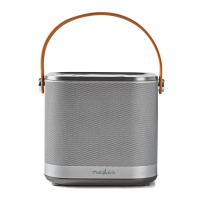
Tragbarer Bluetooth®
Lautsprechertrolley
SPPT800BK
Weitere Informationen nden Sie in der erweiterten
Anleitung online: ned.is/sppt800bk
Bestimmungsgemäße Verwendung
Dieses Produkt dient zum Streamen von Audiosignalen von Ihrem
Mediengerät über Bluetooth®, per Audiokabel oder von einem
USB-Flash-Laufwerk.
Dieses Produkt ist nur zur Verwendung in Innenräumen gedacht.
Kinder ab dem achten Lebensjahr und Personen mit eingeschränkten
körperlichen, sensorischen oder geistigen Fähigkeiten oder ohne
ausreichende Erfahrung und Kenntnis dürfen dieses Produkt nur
dann verwenden, wenn sie beaufsichtigt werden oder in die sichere
Benutzung des Produkts eingewiesen wurden und die bestehenden
Gefahren verstehen. Kinder dürfen nicht mit dem Produkt spielen.
Reinigung und Wartung durch den Benutzer dürfen nicht von
unbeaufsichtigten Kindern durchgeführt werden.
Charging the product
1. Plug the power cable A
g
into the power input A
w
.
2. Connect the power cable A
g
to a power outlet.
Placing the batteries in the remote control
1. Open the battery compartment
p
.
2. Insert the two required AAA batteries (not included) into the
battery compartment.
-
Make sure that the battery polarity (+/-) matches the polarity
markings inside the battery compartment.
Playing music from a Bluetooth® audio source
1. Press and hold the standby button A
o
to switch on the product.
2. Repeatedly press the mode button A
p
to select Bluetooth®
mode. The current mode is shown on the display A
e
.
3. Activate Bluetooth on your audio source and connect with the
product SPPT800BK.
4. Play music from a Bluetooth® connected audio source.
Playing music from a USB ash drive, SD card or
AUX audio source
1. Insert a USB ash drive in the USB port A
t
2. Insert a SD card in the SD card slot A
r
.
3. Connect the 2x RCA to 3.5 mm cable A
f
to the RCA inputs A
d
.
4. Plug the other end of the 2x RCA to 3.5 mm cable A
f
into your
audio source device
5. Press and hold the standby button A
o
to switch on the product.
6. Repeatedly press the mode button A
p
to select the desired
mode. The current mode is shown on the display A
e
.
7. In AUX mode, play music from your audio source.
Controlling the music
1. Press the previous track button A
8
or the next track button A
s
to skip between tracks.
2. Press the Play/Pause button A
9
to play or pause a track.
3. Turn the volume dial A
u
to adjust the volume to the desired
sound level.
4
You can also control music and volume from your audio source.
RGB lights
Press the RGB LED lights button B
t
to switch the RGB light on, to
cycle between the dierent light modes or to switch the RGB light o.


 To Next Page