8
Making video recordings and screenshots
• You can make video recordings and screenshots on your phone, by tapping
Record and Screenshot .
Playing back motion detected videos
Motion detected videos are automatically saved on the microSD card, if inserted.
1. Tap Playback to open the stored videos.
2. Select the day of the recording.
3. Zoom and drag the timeline to select the recording.
Declaration of Conformity
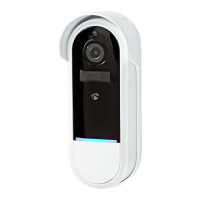
We, Nedis B.V. declare as manufacturer that the product WIFICDP20WT |
WIFICDP20GY from our brand Nedis®, produced in China, has been tested
according to all relevant CE standards and regulations and that all tests have
been passed successfully. This includes, but is not limited to the RED 2014/53/
EU regulation.
The complete Declaration of Conformity (and the safety datasheet if applicable)
can be found and downloaded via:
nedis.com/WIFICDP20WT#support
nedis.com/WIFICDP20GY#support
For additional information regarding the compliance, contact the customer
service:
Web: www.nedis.com
E-mail: service@nedis.com
Nedis B.V., de Tweeling 28
5215 MC ’s-Hertogenbosch, the Netherlands
c
Kurzanleitung
Wiederauadbare
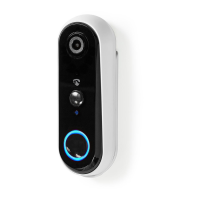
Video-Türklingel
WIFICDP20WT
WIFICDP20GY
Weitere Informationen nden Sie in der erweiterten Anleitung online:
ned.is/wicdp20wt ned.is/wicdp20gy


 To Next Page