45Chapter 10 .
Tools
Tools
Use Tools to enjoy more features of your phone.
• Calculator
• Downloads
• Feedback
• FM Radio
• SIM Toolkit
• Sound Recorder
10. 1 Calculator
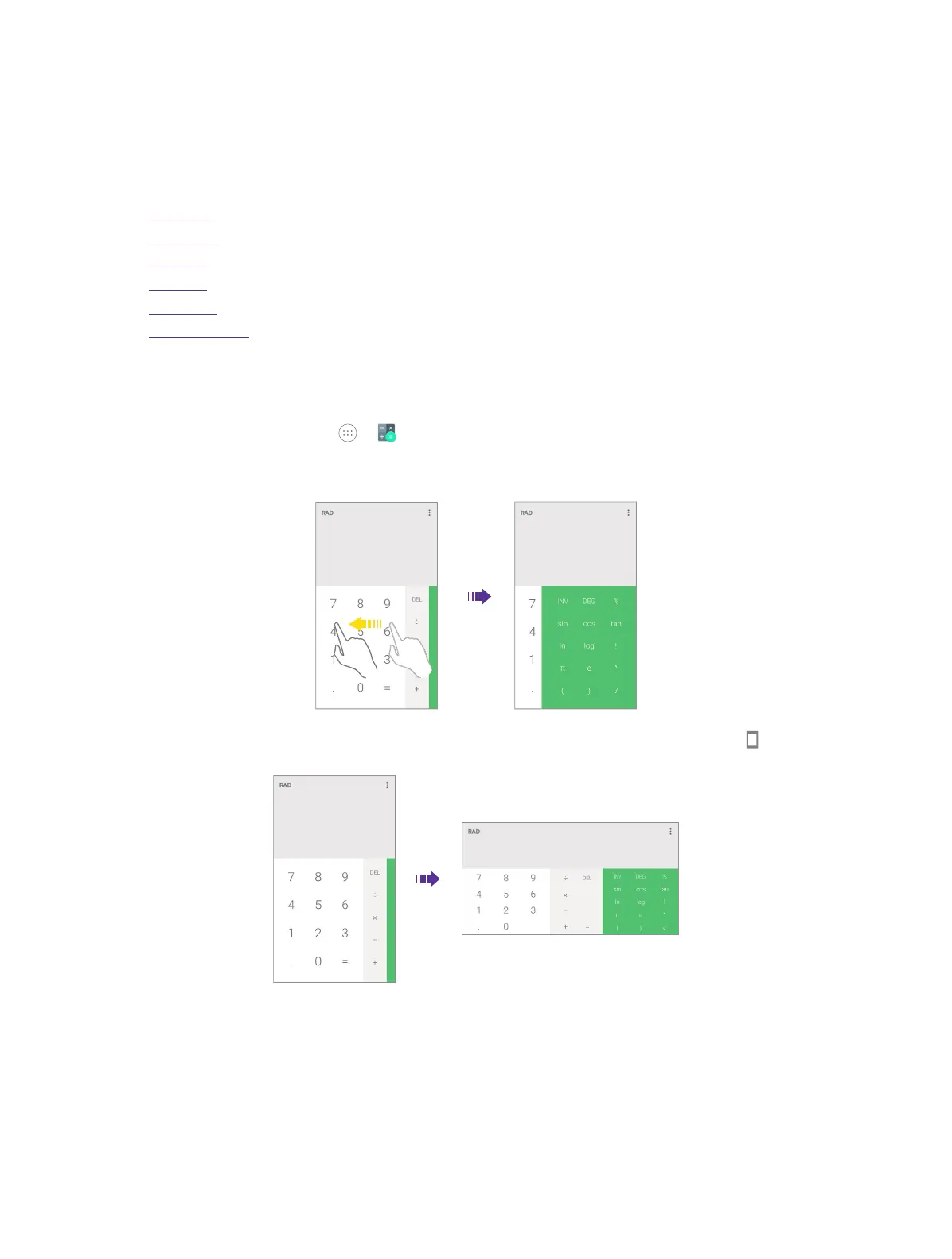
1. On the Home screen, go to -> Calculator.
2. Use one of the following methods to switch between the standard and scientific calculators.
• Swipe left on the bottom right corner of the green.
• Swipe down twice from the status bar to open the Quick Settings Panel and tap Portrait to rotate
the screen orientation.
3. Tap numbers and use the arithmetic feature to complete an operation.
4. Touch and hold the number in the blank part to copy and paste the number to calculate.
5. Touch and hold the DEL to delete all calculated information.
10



 To Next Page