2Chapter 1 .
Get started
• Unlock Neffos: Press the Power button to wake the screen. For additional security, you can require a swipe,
pattern, PIN, or password to unlock you phone. Go to Settings -> Security -> Screen lock to choose a
safe way to unlock your phone.
• Turn Neffos on: Press and hold the Power button until your phone vibrates and the screen turns on.
Note:
If your phone does not respond after holding down the Power button for 10 seconds, the battery may be empty. Connect
your phone to a charger to charge the battery.
• Turn Neffos off: Press and hold the Power button, then tap Power off.
• Reboot Neffos: Press and hold the Power button, then tap Reboot.
• Turn on/off data connection: Press and hold the Power button, then choose SIM1/SIM2 to enable data
connection, or tap Off to disable.
• Enable/disable airplane mode: Press and hold the Power button, then tap Airplane mode.
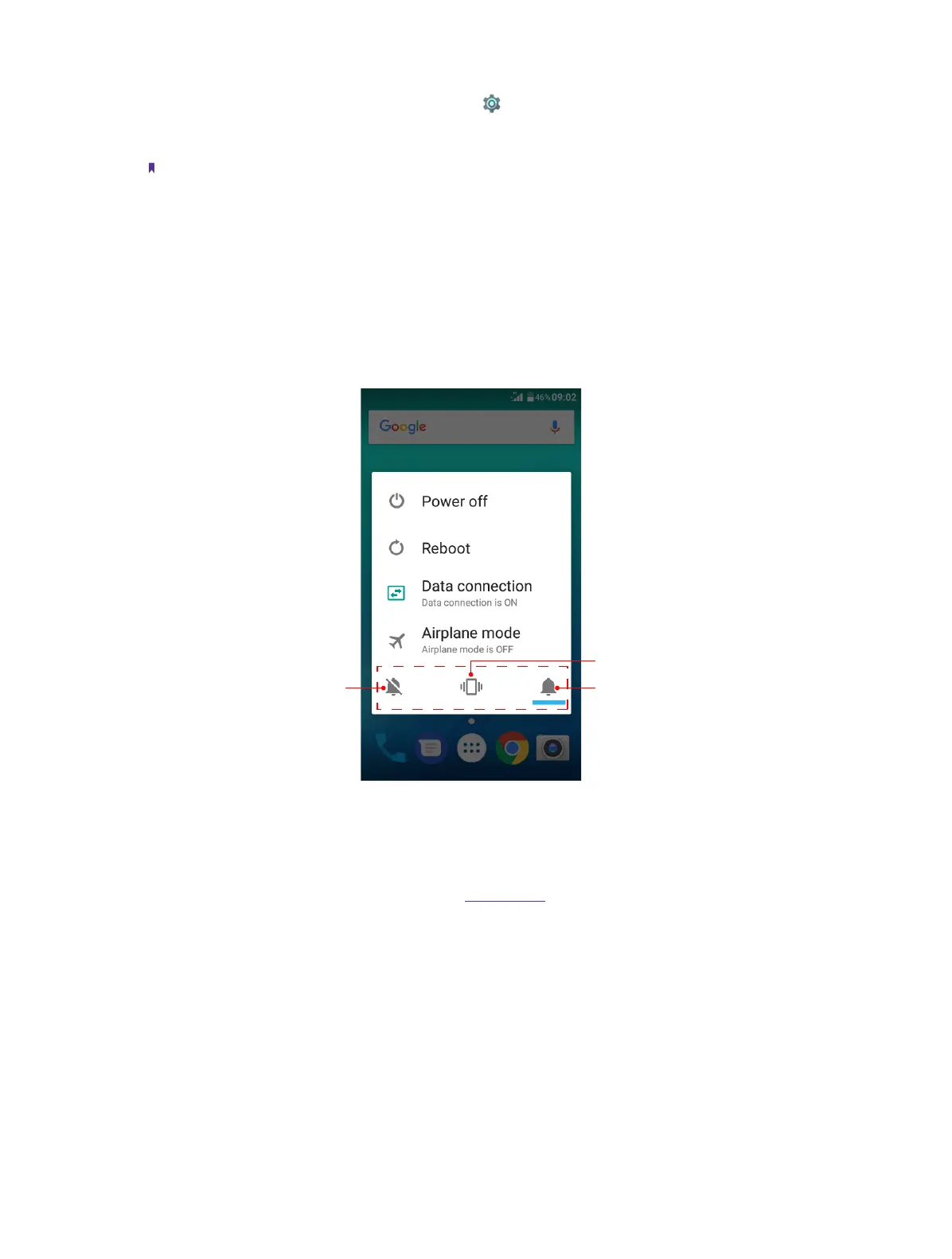
• Switch between ringing, silent and vibration mode: Press and hold the Power button, and tap the mode you
need.
Do not disturb Ringing mode
Vibration mode
Volume button
• Press the Volume-up/donw to adjust the audio volume when you’re on the phone or listening to songs,
movies or other media.
• Press the Volume button to take a picture. Refer to Take a photo to learn more.
• Press the Power button and Volume-down button at the same time to take a screenshot.
Home button
• Tap Home button to return to the default Home screen.
• Touch and hold Home button to open Google search.
• Press the Power button and Volume-down button at the same time to take a screenshot.
Back button
Tap Back button to return to the previous screen or close an application. When entering text, tap Back button
to close the onscreen keyboard.



 To Next Page