45Chapter 8 . Clock
• Swipe down from the status bar to open the Notification Panel, and then tap the alarm notification.
Press the Volume button then the alarm will go off again after 5 minutes.
•
Dismiss: When the screen is locked, slide
to stop the alarm; when the screen is on, tap DISMISS on the
pop-up prompts to stop the alarm.
•
Mute an alarm: When the alarm goes off, open
Clock and you can press the Volume-down button to
mute an alarm.
8. 2 Worldclock
Check the time in various cities around the world using Worldclock.
Launch your Worldclock
• On the Home screen: Go to Clock -> Worldclock.
•
On the Lock screen: When your phone doesn’t have a screen lock with pattern or PIN or password, just
swipe
up and tap -> Worldclock.
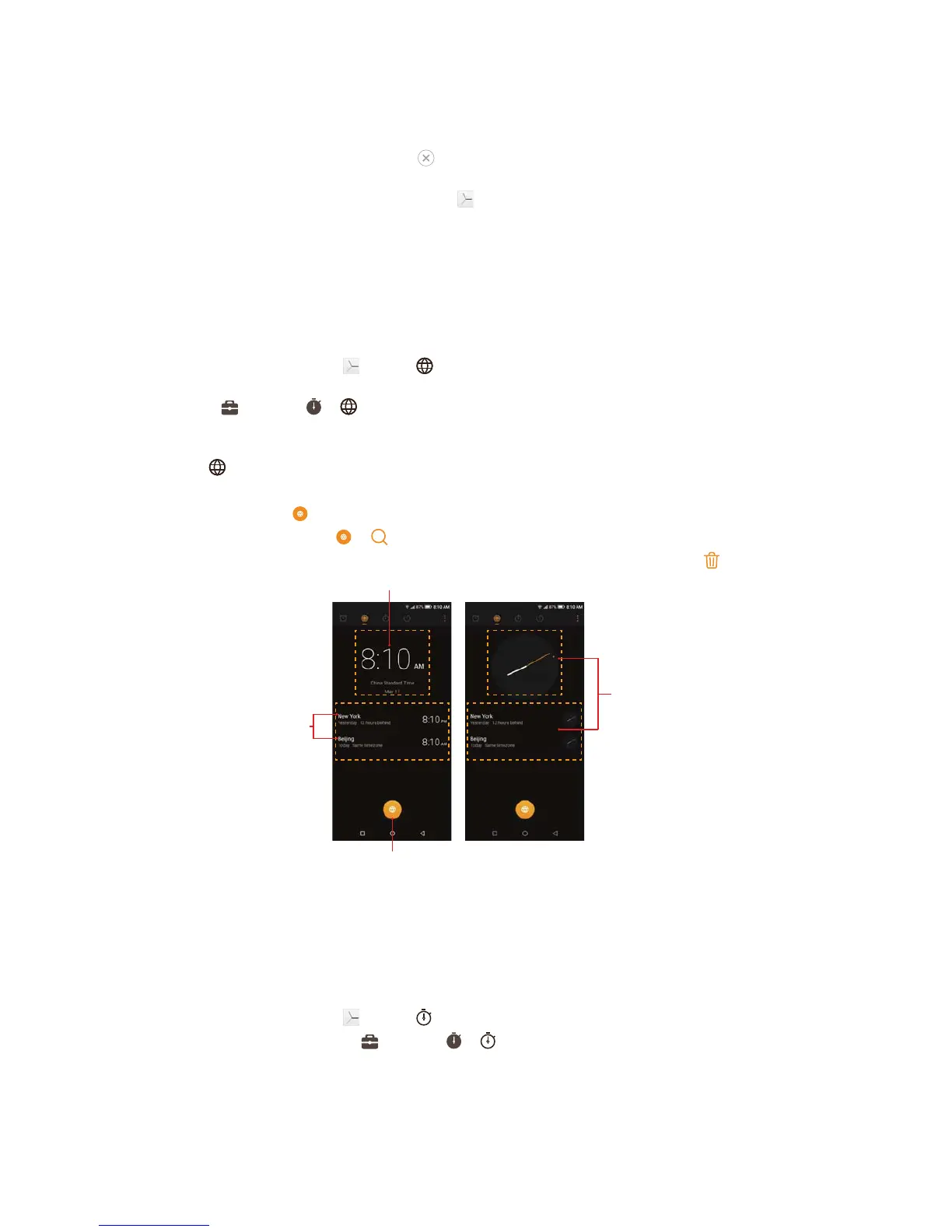
Configure the Worldclock
1. Tap Worldclock.
2. From the Worldclock screen, you can:
•
Add a city: Tap
. Enter a city name or select a city from the list.
•
Search for a city: Go to
-> , enter a city name to search for a city and tap to add it to the list.
•
Delete a city: Touch and hold a city, then check the cities you want to delete and then tap
-> DELETE.
Home time
Add city
Chosen cities
Touch the home
time or the cities
to switch the time
display modes.
8. 3 Stopwatch
You can use Stopwatch to keep time or record lap times.
Launch your Stopwatch
• On the Home screen: Go to Clock -> Stopwatch.
•
On the Lock screen: Just swipe
up and tap -> Stopwatch.



 To Next Page