Need help?
Do you have a question about the Nefit ModuLine 300 and is the answer not in the manual?
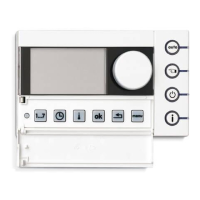
Details the function and position of various buttons on the thermostat.
Explains the meaning of symbols shown on the thermostat display.
Describes how to change temperature in auto/manual modes and de-activate heating.
Provides a general overview of the ModuLine 300 thermostat's operation and features.
Details which thermostat functions are supported by different types of boilers.
Explains how to check the thermostat's software version number.
Guides on selecting the optimal room for thermostat installation and placement.
Instructions for mounting the wall panel, including connections and junction box considerations.
Step-by-step guide on how to attach and detach the thermostat from the wall panel.
Steps to activate and establish connection between the thermostat and the boiler.
Procedure for setting the correct date and time on the thermostat.
Details on how settings are retained or reset after a power interruption.
How to adjust and set desired temperature levels for different periods.
Guide to creating and configuring time-based heating schedules with switching points.
Instructions for viewing, modifying, or adjusting existing time and temperature switching points.
Procedure for adding new time and temperature switching points to the program.
How to delete unwanted switching points from the programmed schedule.
Guidance on creating a completely new time program from scratch.
Details on how to modify the pre-defined temperature levels (T1-T4).
Steps to restore the time program settings to their original factory defaults.
Configures the availability of Domestic Hot Water (DHW) based on different settings.
Sets the minimum room temperature to be maintained during the 'off' function.
Determines whether DHW supply is switched off or managed during the 'off' period.
Configures the boiler to start heating earlier to reach target temperature on time.
Option to turn the thermostat's button illumination on or off.
Enables automatic switching between summer and winter time.
Restores all operating settings to their default factory values.
Explains how to access the service menu using a specific access code.
Allows selection of the thermostat's display language (Dutch or German).
Adjusts the heating rate for optimal room temperature control based on house characteristics.
Corrects deviations between the measured and actual room temperature.
Adjusts the thermostat's internal clock for time gain or loss.
Configuration setting for systems with a solar cylinder module.
Assigns the thermostat to a specific heating circuit in multi-zone systems.
Resets all service menu settings (3.1-3.6) back to their factory defaults.
Common malfunctions and their solutions that users can resolve themselves.
List of error codes and detailed solutions for installer-level troubleshooting.
Guides on how to fill in temperature levels and time program schedules.
 General
| Product color | White |
|---|---|
| Memory function | Yes |
| Handheld remote control | No |
| Battery voltage | 16 V |
 Weight and Dimensions
| Depth | 33 mm |
|---|---|
| Width | 150 mm |
| Height | 90 mm |

 To Next Page