
 Need help?
Do you have a question about the Neflaca NL-N41 and is the answer not in the manual?
Print head and peripheral parts get very hot during printing; avoid touching them.
Violating instructions may cause serious injury or death, including electrical shock or fire.
Lists all standard and optional items included in the printer package.
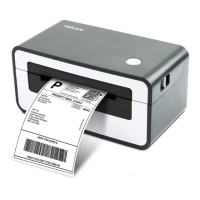
Details the printer's front, rear, and internal views with labeled components.
Provides the physical dimensions of the printer in millimeters.
Instructions for loading paper rolls, including folding paper and external paper rolls.
Detailed steps for connecting the printer to a power source using the provided adapter.
Instructions for connecting external devices, focusing on the USB B-Type cable.
Explains the function of the label detector and its positioning for different paper types.
Details the functions of the Feed Button and the status indicator lights.
Explains basic operations like power on/off and feed button functionality.
Guides on when and how to perform manual calibration for the printer.
Instructions for printing a self-test page manually or via Windows driver.
Details the pinout and signal names for the USB interface connector.
Steps for cleaning the printer's print head using a cleaning pen.
Procedure for cleaning the printer's roller and paper path with alcohol or dry cloth.
Instructions on downloading the NefLacaUtilityLabel application program from CD.
Guide on using the NefLaca Utility software, including adding printers and testing connections.
Lists the supported operating systems for the Windows driver.
Details on downloading the Windows driver application program from CD.
Step-by-step guide for installing the Windows printer driver, including license agreement.
Instructions for using the installed Windows driver, including preferences and properties.
Guide on accessing and setting printing preferences like page size, orientation, and copies.
Accessing and configuring printer properties like general settings, ports, and advanced options.
Steps to uninstall the printer driver and its components from the computer.
Provides information on installing the macOS printer driver.
Details the driver installation file name for macOS.
Step-by-step guide for installing the printer driver on macOS systems.
Provides information on Linux driver installation and usage.
Lists supported Linux distributions and notes unsupported versions.
Steps to unzip, extract, and execute the Linux driver installation script.
Steps to add the printer, select the port, and configure driver settings in Linux.
 General
| Printing Technology | Thermal Transfer |
|---|---|
| Output Type | Monochrome |
| Connectivity Technology | USB |
| Special Feature | Portable |
| Recommended Uses For Product | Home, Office |

 To Next Page
