5
Installation II (in existing construction)
Installing the fan housing in an existing building requires an accessible
area (attic or crawl or space) above the planned installation location
and existing duct and wiring.
Take the following precautions before installation:
- Duct work can be run and the area is sufficient
for proper ventilation;
- Wiring can be run to the planned location;
- No wiring or other obstructions can interfere with the installation.
1. To install the fan housing, follow the steps 1 and 2 described
in Installation I (page 4).
2. Remove ceiling section.
3. Install fan housing.
4. Continue with steps 3-7 of Installation I to complete the installation
(pages 4 and 5).
4. Install a circular duct and secure it with duct tape or clamps.
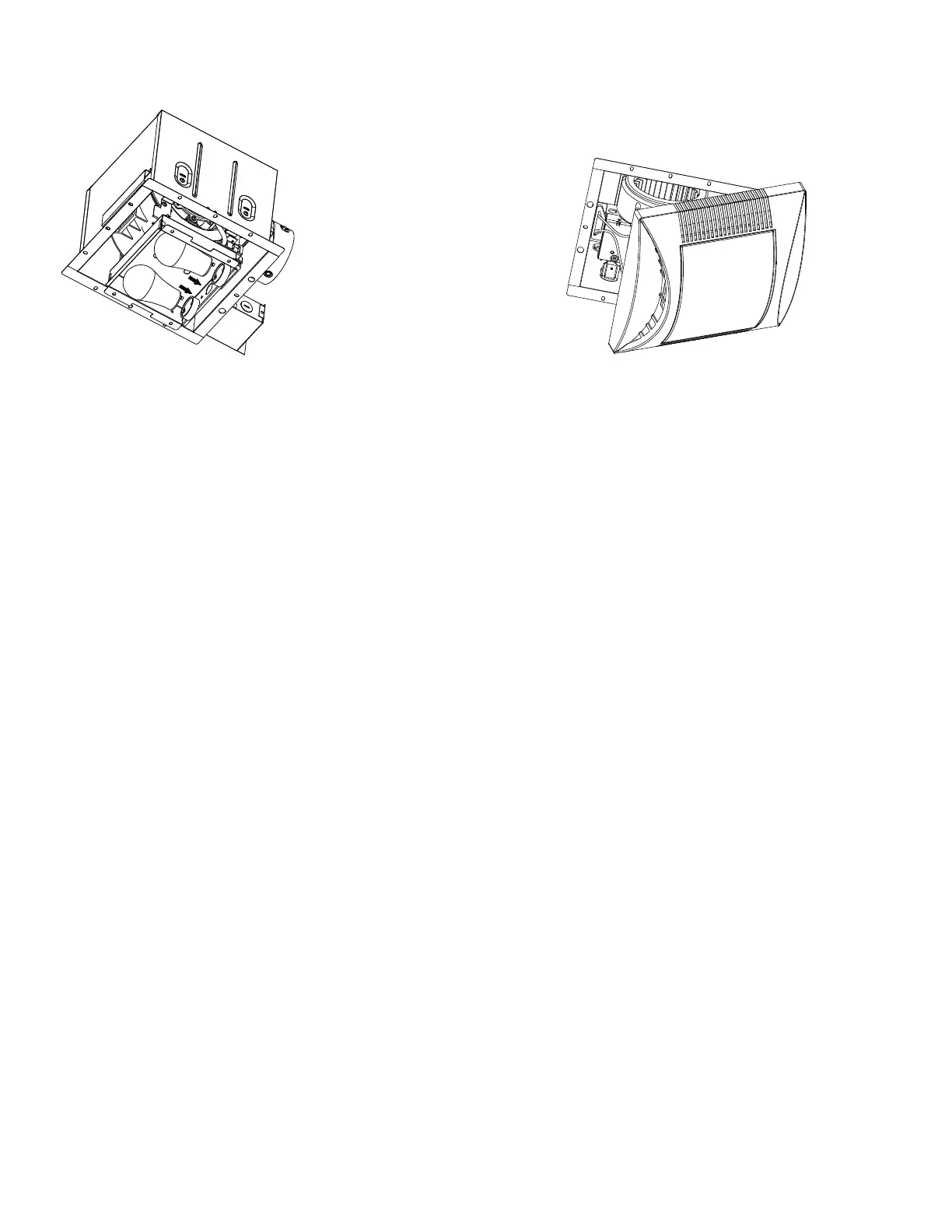
5. Install the GU24 9 W LED bulbs (Fig. D)
6. Pinch mounting springs and insert into narrow rectangular slots inside
the fan housing next to the fan motor (Fig. E).
7. Turn on electricity at breaker box after finishing installation.
Figure D Figure E


 To Next Page