Quick Guide
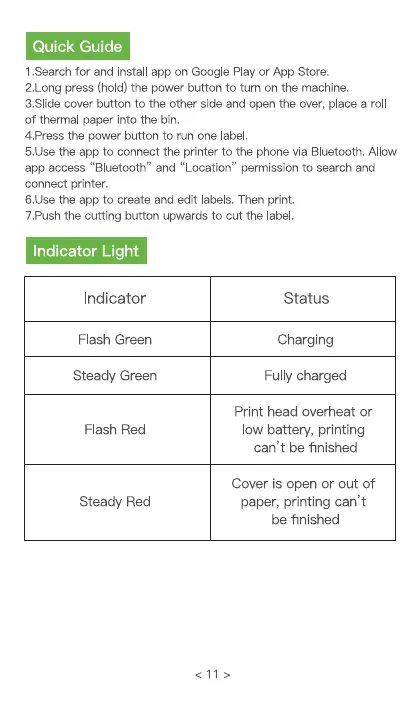
1.Search for and install app on Google Play or App Store.
2.Long press (hold) the power button to turn on the machine.
3.SIide cover button to the other side and open the over, place a rol
of thermal paper into the bin.
4.Press the power button to run one label.
5.1Jsethe app to connect the printer to the phone via Bluetooth. Allow
app access "Bluetooth" and "Location" permission to search and
connect printer.
6.1Jsethe app to create and edit labels. Then print.
7.Push the cutting button upwards to cut the label.
Indicator Light
Indicator
Flash Green
Steady Green
Flash Red
Steady Red
Status
Charging
Fully charged
Print head overheat or
low battery, printing
can't be finished
Cover is open or out of
paper, printing can't
be finished


 To Next Page