APP Download
For Android and Apple users,you can search"NeIko" in Google Play
or APP store and install.
The second method is scan the QR below code.
Android
Install Label Printer Paper
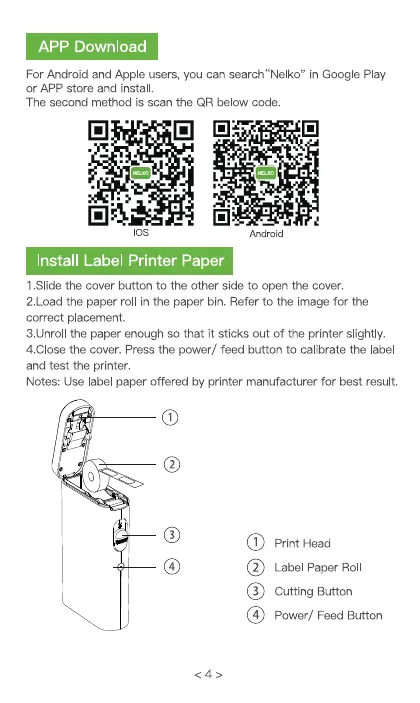
1 .SIide the cover button to the other side to open the cover.
2.1_oadthe paper roll in the paper bin. Refer to the image for the
correct placement.
3.UnroII the paper enough so that it sticks out of the printer slightly.
4.CIosethe cover. Press the power/ feed button to calibrate the label
and test the printer.
Notes: Use label paper offered by printer manufacturer for best result.
o
0
Print Head
Label Paper Roll
Cutting Button
power/ Feed Button


 To Next Page