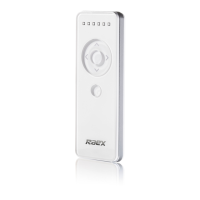
c. SET INTERMEDIATE POSITION 1 [UP TILT]
i. Use [UP], [STOP] and [DOWN] buttons to go to the desired intermediate position
1.
ii. Press remote [SETTING] + [UP TILT] buttons at the same time; motor moves up
and down to confirm intermediate position 1 was saved.
d. SET INTERMEDIATE POSITION 2 [DOWN TILT]
i. Use [UP], [STOP] and [DOWN] buttons to go to the desired intermediate position
1.
ii. Press remote [SETTING] + [DOWN TILT] buttons at the same time; motor moves
up and down to confirm intermediate position 2 was saved.
5. DELETE ALL REMOTE CONTROLS (this does not delete limits)
i. Press [MOTOR SETTING] button for 3 seconds, until the motor moves up and
down.
ii. Press [MOTOR SETTING] button for 7 seconds, until the motor moves up and
down (some motors will move first at 1s and then again at 7 seconds).
3


 To Previous Page
 Loading...