Need help?
Do you have a question about the Neodrives Z20 RS and is the answer not in the manual?
Key safety and usage guidelines to follow for the S-Pedelec and neodrives components.
Details on temperature ranges and conditions for operating the neodrives components.
Lists the various neodrives components included in the Z20 RS drive system.
Provides detailed technical specifications for the neodrives components.
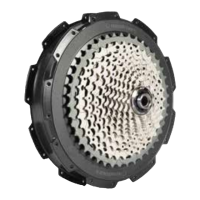
Technical specifications for the neodrives hub motor Z20 RS, including speed, power, and torque.
Details specifications for the neoMMI Z20 RS LCD and neoRemote/neoTwistlock Z20 RS control elements.
Technical specifications for the V8 Z20 RS battery, including capacity, voltage, and energy content.
Specifies operating temperature and protection class for the complete neodrives system.
Explains various factors like topography, weather, and rider effort that affect battery range.
Instructions for connecting the LCD and the process for switching the system on and off.
Details the functions of the neoRemote control element for adjusting assistance levels and other features.
Explains the main task of the neoNode Z20 RS as a communication interface and plug mounting.
Describes the functionality of the 3 softkeys on the neoMMI Z20 RS LCD for navigation and settings.
Details the three display modes: main, power, and trip display, and how to navigate them.
Explains how to access and use the trip menu for distance, time, and kcal data.
Details the inspection menu for frame ID, next inspection due, battery charging, and total distance.
Covers the settings menu for touchscreen, battery display, units, language, and time/date.
Explains how to activate software updates for the LCD from a retailer.
Allows setting the touchscreen to active or inactive while riding to prevent accidental operation.
Warns about potential risks of changing settings while riding and emphasizes safety.
Enables setting the battery state display to symbol or percentage and configuring range display.
Allows selection between metric (km/h, 24-hour clock) and imperial (mph, 12-hour clock) units.
Enables setting the current time and date displayed on the LCD.
Allows selection of the display language for the LCD from a list of available languages.
Instructions on how to activate and use the walk assist feature with the neoRemote Z20 RS.
Explains how to select assistance levels and the two recuperation modes for energy recovery.
Describes the battery button functions and how to check the battery's state of charge via LEDs.
Details how to set the battery to 'Deep sleep' mode and how to wake it up.
Provides instructions for charging the battery and guidelines for storing it safely.
Explains the meaning of the different LED indicators on the battery charger.
Guidelines for storing the battery to ensure optimal service life and prevent damage.
Step-by-step instructions for safely removing and inserting the integrated V8 Z20 RS battery.
Advice on noting and using the key number for ordering replacement keys for the S-Pedelec.
Detailed steps for removing and installing the rear wheel, including cable management and torque receiver.
Instructions for assembling and mounting the drive wheel, ensuring correct component installation and torque.
Explains the recuperation mode where the motor acts as a generator to charge the battery.
Details how temperature sensors, software, and air circulation optimize motor cooling and performance.
Specifies the maximum permissible axle load for the neodrives motor.
Guidance on proper cleaning methods for the motor, avoiding harsh chemicals and high pressure.
Instructions for cleaning the LCD screen using only a damp cloth, avoiding solvents.
Provides important instructions for transporting the S-Pedelec safely in a car.
Highlights safety measures regarding sunlight exposure, maximum speed, and electronic component protection.
A guide to common faults, their symptoms, and troubleshooting steps for the system and battery.
 General
| Nominal voltage | 36 V |
|---|---|
| Rated power | 250 W |
| Support levels | 5 |
| Efficiency | Up to 85% |
| Protection Class | IP54 |
| Type | Rear hub motor |

 To Next Page