EN
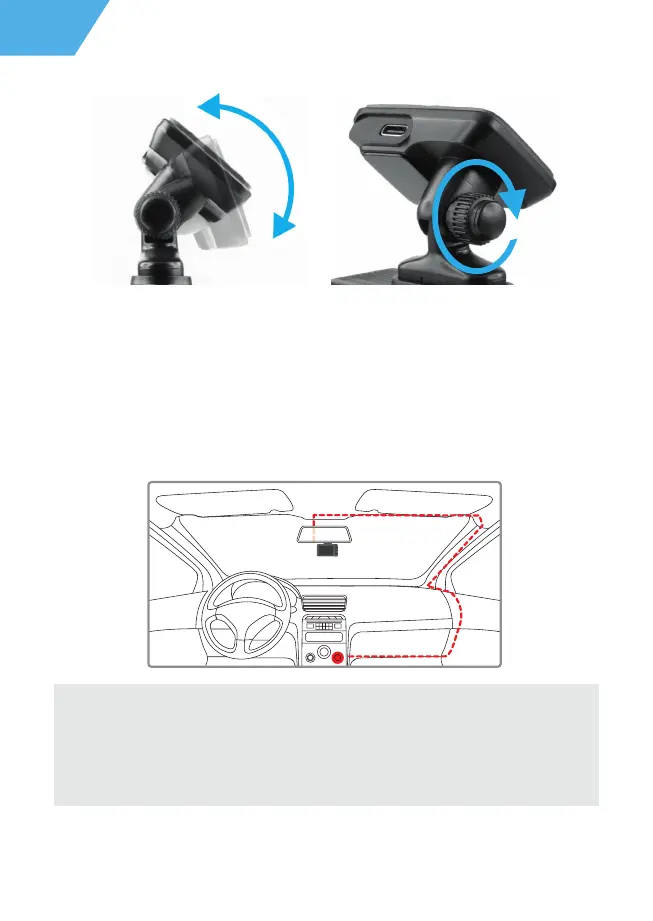
Then tighten the knob to lock the DVR securely.
Use only the power adapter included to power the device and to charge the battery.
Connect the charger to the DVR, and then plug the charger plug into the car outlet/power
socket.
When the car engine starts, the device turns on automatically.
Power connection
Note:
For best view, the device should be installed near the rear-view mirror in the centre
top of the windshield. To get the best record, ensure that the camera captures the
image in proportion of 40% sky / 60% road+hood.
10


 To Next Page
 Loading...