Need help?
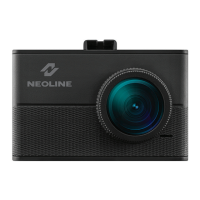
Do you have a question about the Neoline WIDE S61 and is the answer not in the manual?
Instructions for attaching the dashboard camera to the vehicle's windshield.
Guidance on positioning the camera for optimal view and filming results.
Steps for connecting the device to the vehicle's power source.
Steps to prepare the device before use, including MicroSD card insertion.
Guide on how to use the CPL filter for improved videofilming quality.
Details on how the loop recording function operates and its settings.
Explanation of the automatic recording triggered by G-sensor events.
Instructions for updating the device's firmware.
Information on the motion detection feature and its operation.
How to play back and delete recorded video files.
Details of the various menu options and settings available for the device.
Steps to connect the device to your smartphone via Wi-Fi.
Instructions for launching and navigating the Neoline Wide SX application.
How to view and manage video files recorded by the DVR.
Information on files transferred from the DVR to your cellphone.
How to play back a specific video file on the mobile application.
Procedure for capturing a still image from the video playback.
Options for sharing recorded video files through the application.
Steps to remove unwanted video files from the device or app.
How to access and view GPS data associated with recordings.
Configuration options for the Neoline Wide SX mobile application.
 General
| Brand | Neoline |
|---|---|
| Model | WIDE S61 |
| Category | Dash Cameras |
| Language | English |

 To Next Page