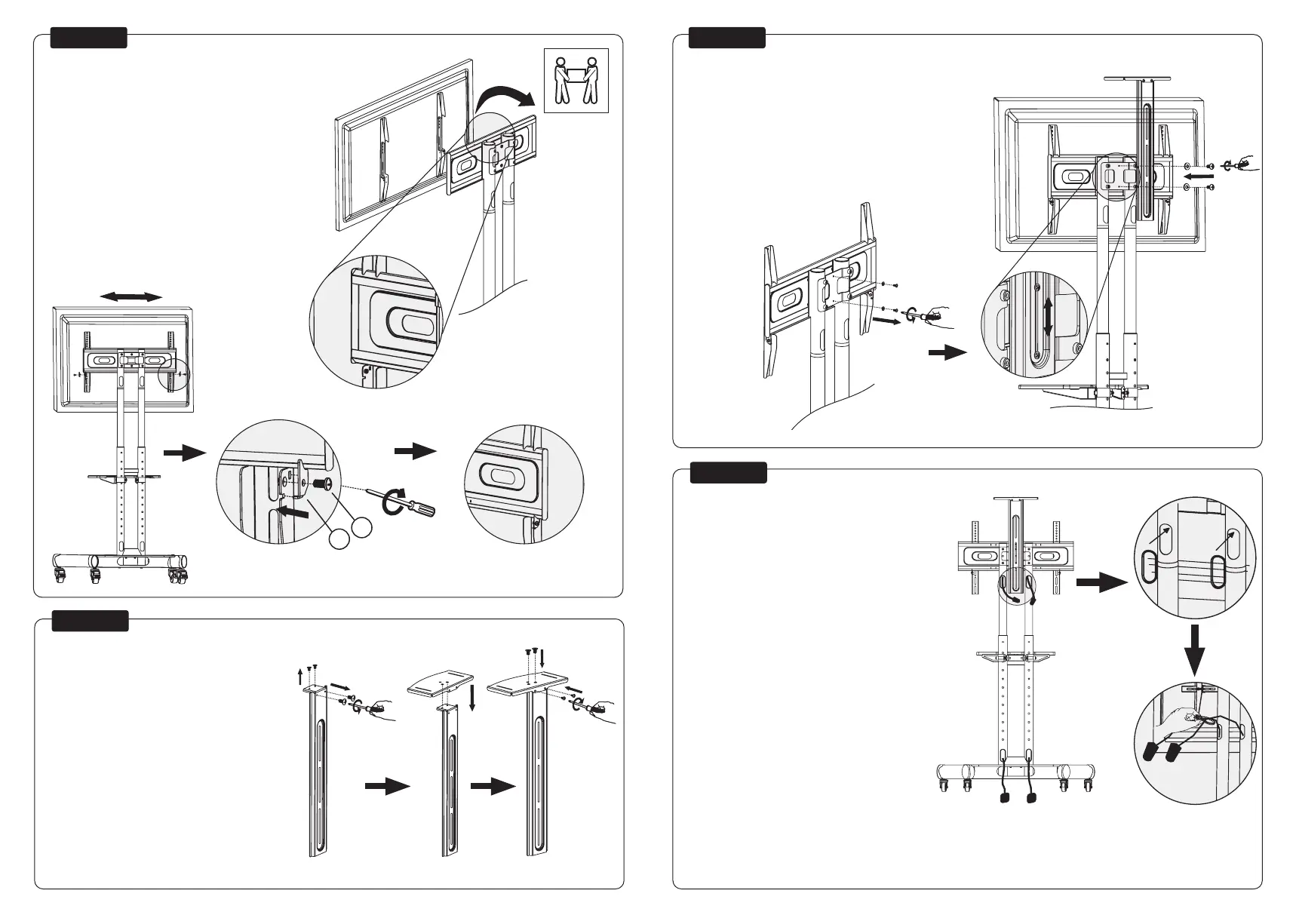
STEP 9
STEP 8
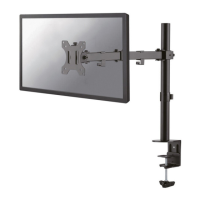
Hang the screen onto the bracket and secure it
Hang het scherm aan de steun en zet vast
Montage und Sicherung des Bildschirmes an der Halterung
Accrochez l’écran sur le support et xez-le
Appendere lo schermo sulla staffa e ssarlo
Cuelgue la pantalla en el soporte y asegúrela
Pendure a tela no suporte e prenda-a
Zawieś ekran na wsporniku i zabezpiecz go
EN
NL
DE
FR
IT
ES
PT
PL
Assemble the plateau
Monteer het plateau
Montage der Platte
Montez le plateau
Assemblare l’altopiano
Instale la meseta
Instale o platô
Zainstaluj półkę pod kamerę
EN
NL
DE
FR
IT
ES
PT
PL
STEP 11
STEP 10
Install the plateau to the top of the mount
Bevestig het plateau aan de bovenzde van de steun
Befestigen der Platte am oberen Ende der Halterung
Installation du plateau en haut du support à la hauteur désirée
Attaccare l’altopiano alla parte superiore del supporto
Instale la meseta en la parte Superior del soporte
Instale o platô na parte Superior do suporte
Zainstaluj półkę do kamery u góry stojaka
EN
NL
DE
FR
IT
ES
PT
PL
Route the cables through the rod
Geleid de kabels door de buis
Führen Sie die Kabel durch die Stange
Positionnez vos câbles dans les chemins prévus à cet effet
Inserisca i cavi all’interno dell’asta
Pase los cables a través de la varilla
Passe os cabos pela haste
Poprowadź kable przez rurkę
EN
NL
DE
FR
IT
ES
PT
PL
D2
C2



 To Next Page