Need help?
Do you have a question about the Neousys Technology Nuvo-9160GC Series and is the answer not in the manual?
Company addresses, phone numbers, and email for support and inquiries.
Details FCC and CE compliance statements for the product.
States the terms and conditions regarding the manual's reproduction and use.
Essential instructions for safe installation, operation, and transport of the system.
Warns about risks associated with battery installation and handling.
Alerts users to potential hot components within the system.
Guidelines for preventing electrostatic discharge damage to components.
Outlines procedures for servicing and maintaining the system.
Describes how qualified personnel should perform system repairs.
Provides general information about the manual's content and scope.
Lists the version history and release dates of the manual.
Introduces the Nuvo-9160GC series as an edge AI computer.
Lists detailed technical specifications for the Nuvo-9160GC system.
Lists detailed technical specifications for the Nuvo-9166GC system.
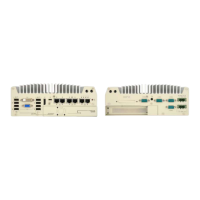
Illustrates front, rear, side, top, and bottom views with measurements.
Illustrates front, rear, side, top, and bottom views with measurements.
General introduction to the system's capabilities and features.
Lists all items included in the Nuvo-9160GC/9166GC series system packages.
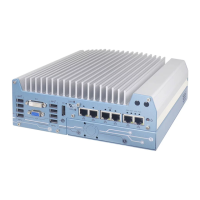
Covers USB, DVI, VGA, DP, Ethernet, Reset, LEDs, and Power Button functions.
Describes the Cassette module's function for managing thermal conditions.
Details MezIOTM, Audio, COM ports, DC/Ignition input, and Remote On/Off.
Steps to disassemble the system for internal component access.
Guides on installing CPU, RAM, mPCIe, M.2, SSD, and MezIOTM modules.
Details the procedure for installing the CPU in a barebone system.
Details the installation of mPCIe modules, Mini-SIM cards, and antennas.
Details the installation of M.2 modules and Micro-SIM cards.
Describes the system's SATA ports for HDD/SSD installation.
Explains the DIP switch settings for factory configuration and BIOS update.
Details the pin definitions for system power control and status output.
Details the installation of M.2 2280 NVMe SSDs for enhanced performance.
Details the installation procedure for MezIOTM modules.
Procedure for replacing or installing a graphics card in the Nuvo-9160GC.
Procedure for installing an L4 graphics card in the Nuvo-9166GC.
Steps to reassemble the system enclosure after component installation.
Details installing wall mount and optional damping brackets.
Methods to turn on the system: power button, external switch, Wake-on-LAN.
Introduces BIOS settings for optimum performance and compatibility.
Details COM port modes, slew rate, and high-speed mode settings.
Covers Boot Menu, Add Boot Options, Watchdog Timer, and VMD/RAID setup.
Configuration for PoE, Auto Wake, Power Failure, and AMT.
Details CPU SKU power limit configuration for performance and thermal balance.
Explains how to set up RAID 0 or 1 volumes for enhanced storage.
Guides on loading the RAID driver during Windows installation.
Lists the operating systems tested and supported by Neousys Technology.
Information on downloading and installing system drivers.
Guides on installing the WDT_DIO function library for system monitoring.
Details WDT functions like InitWDT, SetWDT, StartWDT, ResetWDT, StopWDT.
Explains API functions GetStatusPoEPort, EnablePoEPort, DisablePoEPort.
 General
| Video Output | 1x DisplayPort, 1x HDMI |
|---|---|
| Memory | Up to 64GB |
| Storage | 2.5" SATA HDD |
| Expansion Slots | 1x PCIe x16 |
| USB | 4x USB |
| Serial Ports | 2x RS-232 |
| Digital I/O | 8x Isolated DI, 8x Isolated DO |
| Operating Temperature | -25°C ~ 60°C |
| Dimensions | 111 mm |

 To Next Page