www.x2vga.com
8
9. Screen Shift Button
Provides screen shift function with “480i EasyView
TM
”. For further details please refer
to the “480i EasyView
TM
” section.
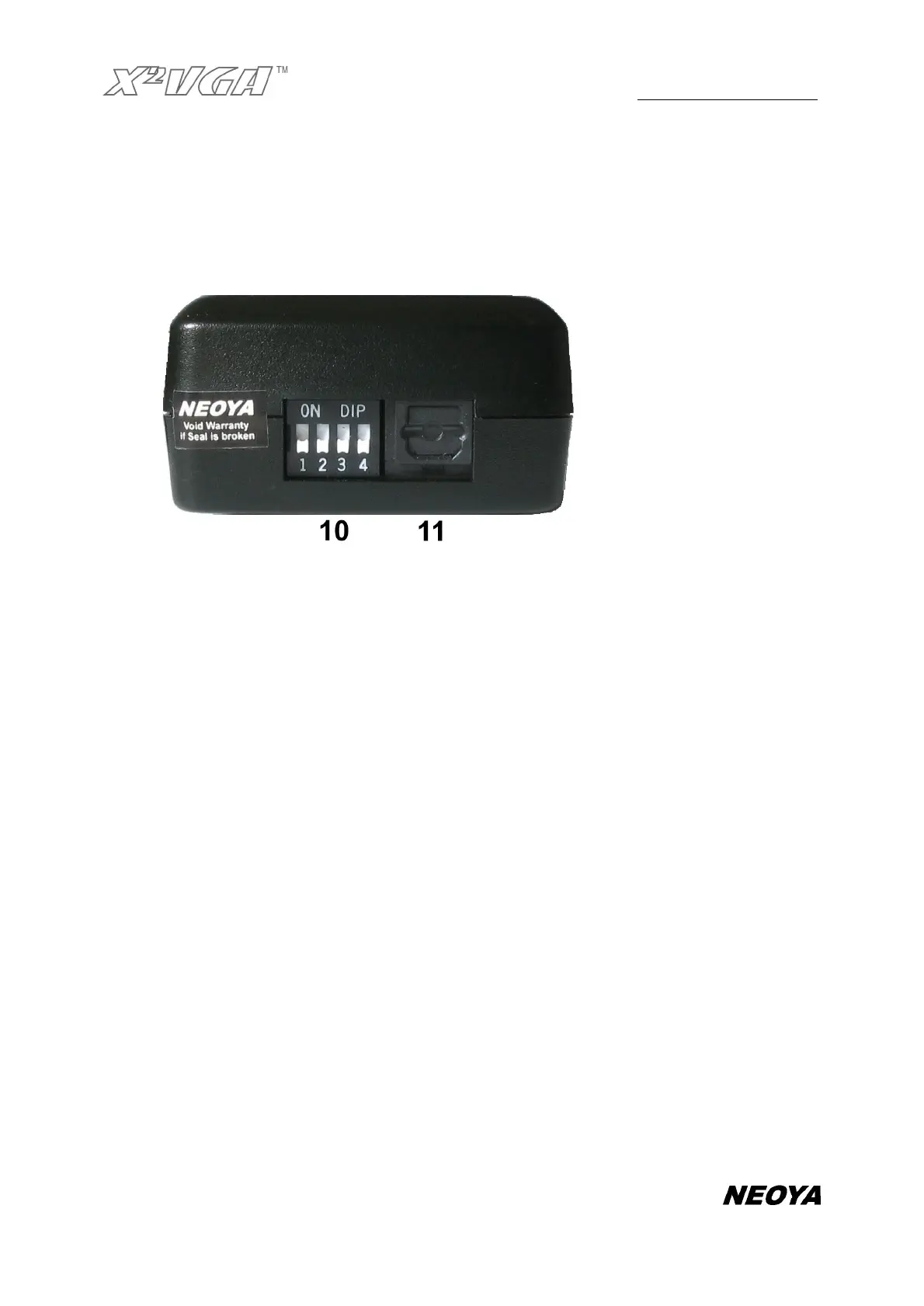
10. Dip switches
Switch 1
composite video mode / VGA display mode
Switch 2
composite video mode / VGA display mode
Switch 3
Reserved
Switch 4
Composite sync. / Separate H/V sync.
The default for the switches above is: 1.OFF 2.OFF 3.OFF 4.OFF
For more information, please refer to the section entitled “Setting Synchronization
Mode” and “Using Composite Video Output” in the manual.
11. Digital Audio Output (optical fiber)
Connect to the Dolby Digital audio decoder or amplifier with digital audio input.
Standard Setups for Connecting to A VGA
Monitor
Using the X2VGA+
TM
to your VGA monitor is very easy. Please follow the standard setups


 To Next Page