On DECT
also:
Unknown net
AOR-W
Ready for call
520 09:46
Note! Default Net service provider
must be programmed the first
time an Ocean Region is entered:
• Press
to open the MENU.
Scroll down to Set Default Net
and press
.
• Press
at required provider.
When using a SIM card, the Net
service provider is preset.
ISDN telephone:
9 Connect the ISDN telephone and verify that you have a
dial tone. If no MSN number is configured, 4.8 kbps
speech quality is automatically chosen.
Hi
gh quality 64 kbps speech service is selected by entering
MSN no.30 into the ISDN equipment (see Getting Started.)
DECT handset registration:
10 Press on the WorldCommunicator to enter the
MENU. Scroll down to Enable DECT and press .
• "Open to register” appears.
• Switch ON the DECT
handset. When the message
Register? appears, press the
YES display key.
• Enter the WorldCommunicator base station pass-
word: 1234 (the first four digits of the owner pass-
word. Use new code when changed.)
• Press the OK display key.
• Press when REGISTERED appears in the
WorldCommunicator display.
Nera WorldCommunicator - Quickstart CONT’D
○○○○○○○○○○○○○○○○○○○○○○○○○○○○○○○○○○○○○○○○○○○○○○○○○○○○○
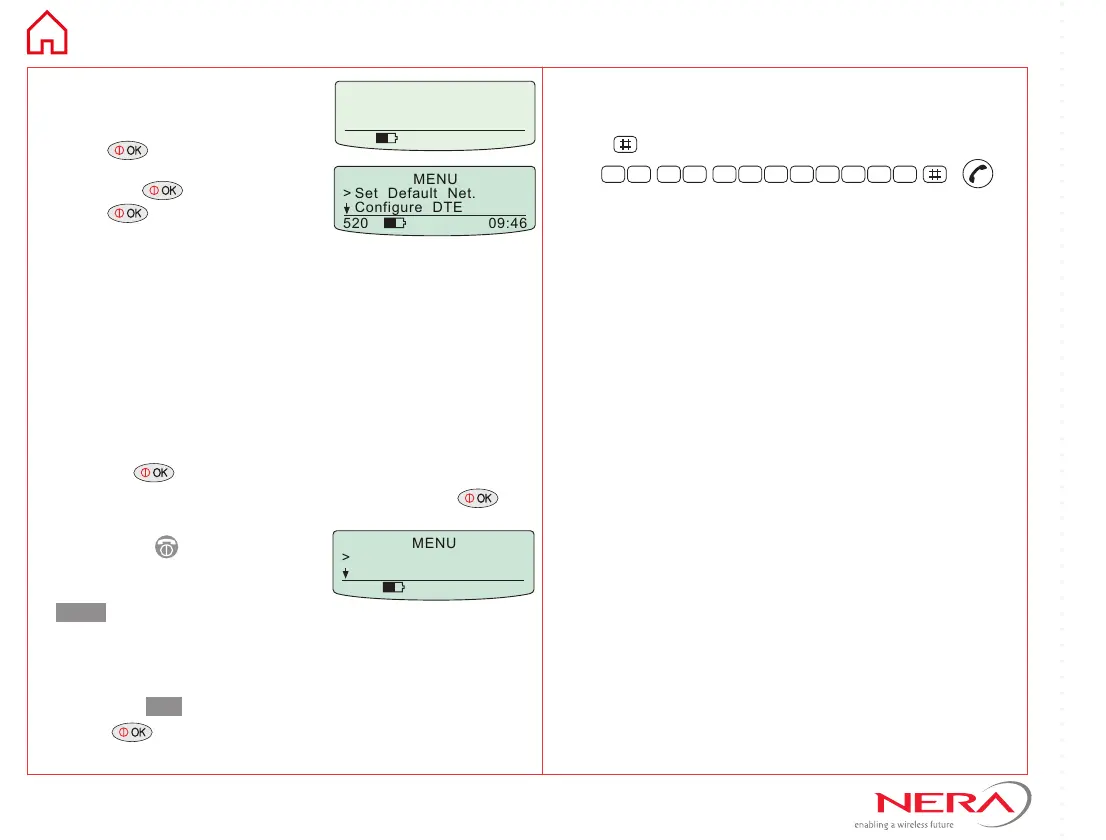
MENU
> Set Default Net.
Configure DTE
520 09:46
MENU
> Enable DECT
Self Test
520 09:46
Making a call:
11 Dial 00, country code and subscriber number .
Press to send the number, f.ex.:
0 0 4 7 6 7 2 4 4 7 0 0
Data setup:
Use the Windows dial-up networking to programme
the server telephone number.
Make sure to use the correct modem driver.
Delete IPX/SPX and NetBEUI if TCP/IP is used.
Note! Some Net providers offer free e-mail and
internet access by dialing 28#.
Dialing an ISDN compatible server:
Connect the computer to the ISDN/RS-232 or USB
port. Use the following modem drivers:
• ISDN, use a driver matching your PCMCIA/PCI
card.
• RS-232, use a 28.800 bps driver.
• USB, on computer use the
Nera WorldCommunicator
USB modem driver (installed when updating vtLite).
On a Mac computer, use Metric Ricochet Wireless.
Dialing an analogue compatible server:
Use the ISDN port and an analogue modem PCMCIA/
PCI card connected to the computer.
See detailed application notes on the
WorldCommunicator CD.



 To Previous Page
 Loading...