IT |
NERONE
| Manuale d’uso e manutenzione
44
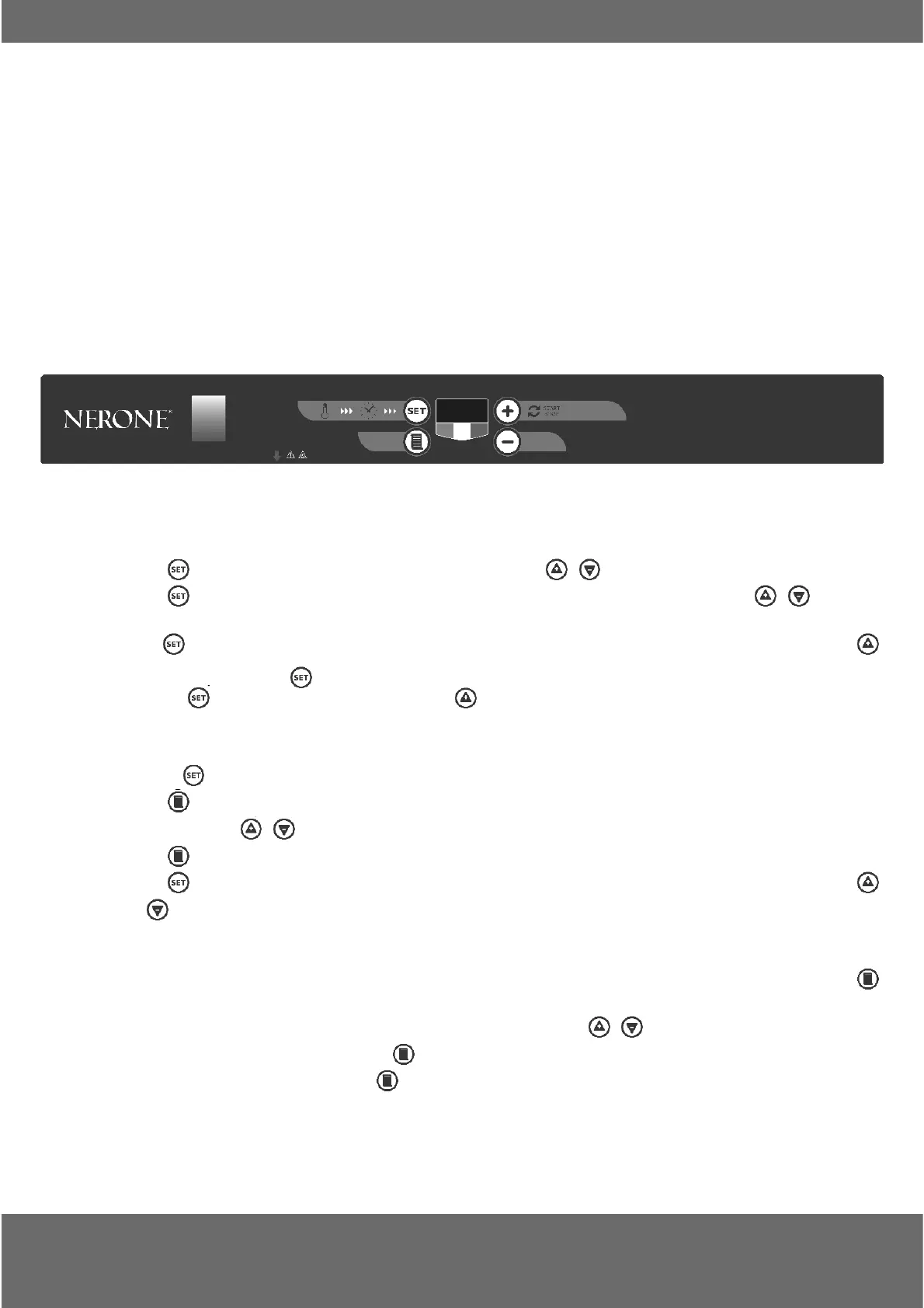
Turn the oven on via the main green switch 0/1 (it must light up),
the display will show "Stb"
To set a cooking time, proceed as follows:
1. Press to display the cooking time (C°). Use the buttons to make adjustments.
2. Press
to display the cooking time (indicated by the side AUX). Again use the buttons to adjust:
the hours are the fi rst number and the other two are the minutes.
3. Press
to display "PrE" pre-heating. Now the oven is ready to start pre-heating. To start this press "
START", or press again
.
4. Pressing
will display "str" cooking and the " START " button will immediately start cooking (without
pre-heating)
To cook using a recipe already saved, proceed as follows:
1. Pressing displays the temperature.
2. Press
to display the recipe.
3. Use the buttons
to select the recipe (number).
4. Press
to confi rm the recipe.
5. Press
several times (scroll through the parameters) until PrE appears to start preheating and press
or
until Str appears to start cooking.
When scrolling through the parameters it is also possible to change them to modify the cooking being started.
Proceed as in point 5 to start cooking. To store the changes in that recipe before starting to cook press
twice.
To save a recipe, proceed as in points 1-2 then select with the buttons
the last number available (up to
10), set the cooking parameters and press
twice. If there are no more recipe numbers it is possible to modify
an existing one. Override it by pressing
twice.
9. PANNELLI COMANDO DIGITALE
DIGITAL CONTROL PANELS
PANNEAU DE COMMANDE DIGITAL
DIGITALE STEUERUNG
PANEL DE CONTROL DIGITAL
FORNI NERONE DIGITALI - EKO
0
1


 To Next Page
 Loading...