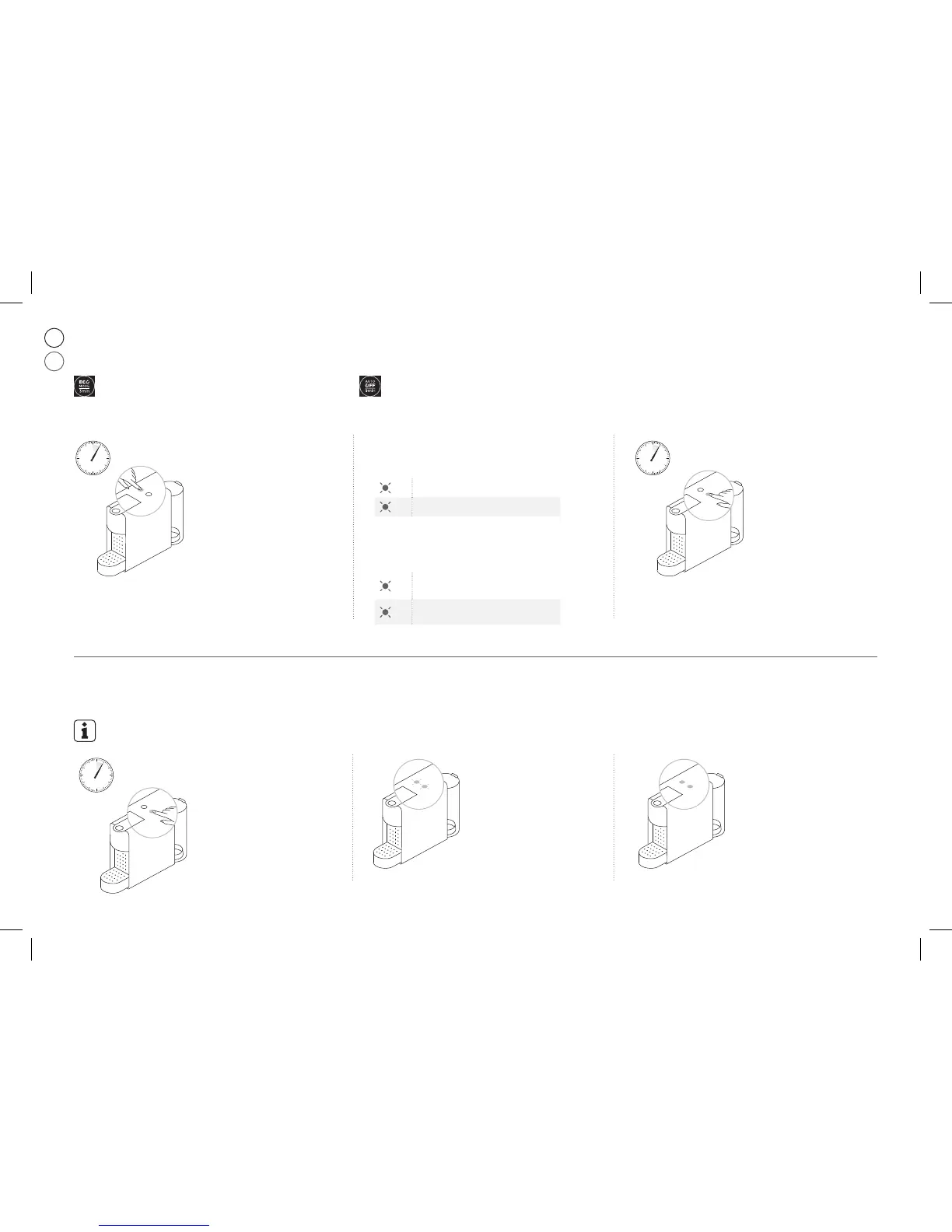
Energy saving mode /
❶ With machine turned off, press
and hold the Espresso button for
5 seconds.
The Espresso button will blink to
indicate the current setting.
To change this setting:
❷ To change this setting press the Espresso button:
One time for Auto Off mode after 30 minutes.
One more time for Auto Off mode after 9 minutes.
1x Single blinking: 9 mins mode
2x Double blinking: 30 mins mode
1x
2x
❸ To exit the energy saving
mode press the Lungo button
for 5 seconds.
Reset to Factory Settings /
❶ With machine turned off, press
and hold down the Lungo button for
5 seconds.
❸ LEDs will then continue to blink
normally, as heating up, until ready.
- Steady Lights: ready
❷ LEDS will blink fast 3 times
to confirm machine has been
reset to factory settings.
Factory settings: Espresso cup: 40 ml, Lungo cup: 110 ml; Auto Off mode: 9 minutes.
This machine is equipped with an energy saving feature.
The machine will automatically enter Auto Off mode after 9 minutes.
UM_NESPRESSO_ESSENZA_MINI_Z3_.indb 12 20.02.17 14:20


 To Next Page
 Loading...