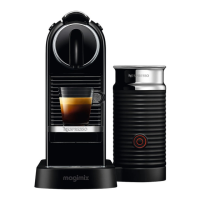
1. Mettez la machine sous
tension et attendez qu’elle
soit en mode prêt (Voyants
allumés en continu).
4. Appuyez et maintenez
enfoncé le bouton Espresso
ou Lungo.
5. Relâchez le bouton une
fois que le volume désiré
est atteint.
6. Le niveau du volume d’eau est
maintenant mémorisé.
2. Remplir le réservoir d’eau
avec de l’eau potable et
insérer la capsule.
3. Placez une tasse sous la
sortie café.
1. Turn the machine on and
wait for it to be in ready
mode (steady lights).
4. Press and hold the
Espresso or Lungo button.
5. Release button once the
desired volume is served.
2. Fill the water tank with
fresh drinking water and
insert the capsule.
3. Place a cup under the
coee outlet.
12
9579_UM_CITIZ_FACELIFT_D_MAGIMIX.indb 12 30.03.16 14:38


 To Next Page
 Loading...