EasyManua.ls Logo

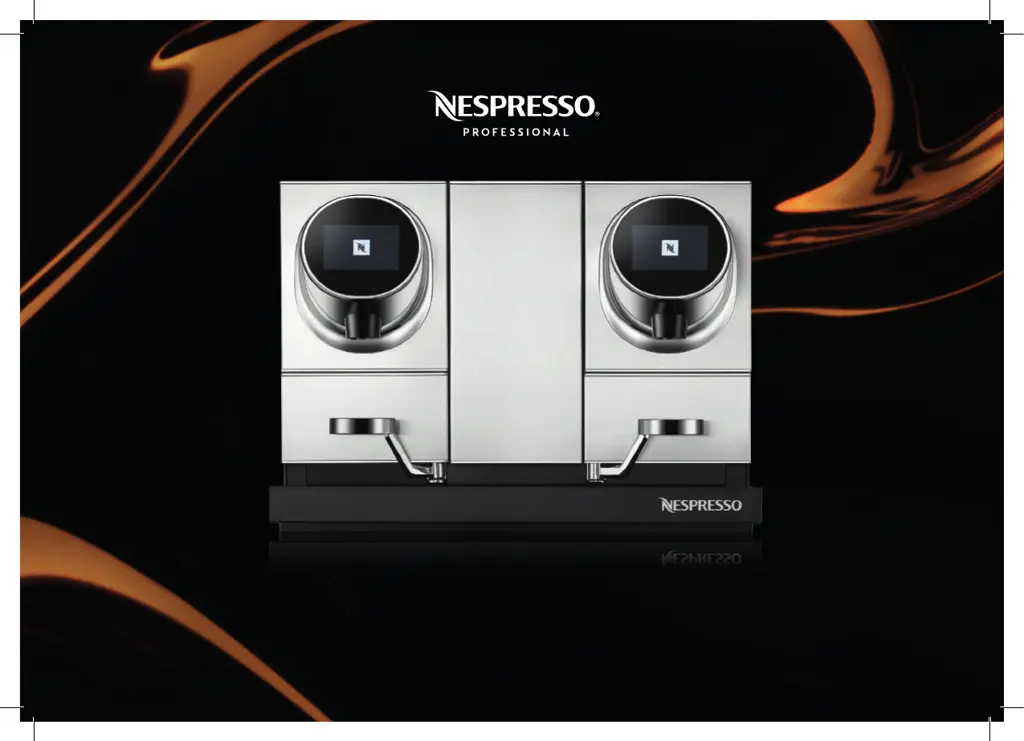
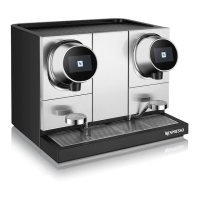
Nespresso Momento 200 - User Manual

Nespresso Momento 200
36 pages
Print Icon
To Next Page IconTo Next Page
Loading...
Momento 200
User Manual
(Original instructions)

Other manuals for Nespresso Momento 200

Questions and Answers

  • Q
    qrodriguezAug 18, 2025
    Why my Nespresso Momento 200 Coffee Maker cannot be switched on or has no light?
    • M
      Melissa NorrisAug 18, 2025
      If your Nespresso Coffee Maker cannot be switched on and there is no light, first check if the power plug is properly connected to the mains power socket. Also, try to descale and insert the capsule filter and check recipe hot water. If the red “descale” symbol is on, the machine needs to be descaled. If the red “filter” symbol is on, change the internal filter.
  • D
    david66Aug 20, 2025
    What to do if my Nespresso Momento 200 won't prepare coffee, hot water, or steam?
    • L
      Leslie NunezAug 20, 2025
      If you're having trouble preparing coffee, hot water, or steam with your Nespresso Coffee Maker, first check the display for any error messages. Also, verify that the capsule is inserted and ejected correctly. Finally, check if the coffee machine is leaking.
  • S
    Sharon GardnerAug 23, 2025
    What to do if no water or coffee comes out of my Momento 200 Nespresso Coffee Maker?
    • M
      Michael HoustonAug 23, 2025
      If the Momento 200 Nespresso Coffee Maker seems to function but no water or coffee comes out, make sure there is water in the machine’s water tank(s). Also, ensure there is no air stuck in the water filters. To remove any air, fill the water tanks with fresh drinkable water, introduce the filters upside down, and make sure all air inside the filters is out. Then, place your filters on the water tanks and try the machine again.
  • K
    Karen GarciaAug 26, 2025
    How to adjust the temperature on my Momento 200 Nespresso Coffee Maker?
    • B
      Brittany JonesAug 26, 2025
      If the temperature of beverages from your Momento 200 Nespresso Coffee Maker is too hot or too cold, modify the temperature settings in your machine setup menu.
  • L
    Lisa KingAug 28, 2025
    What to do if I get an error code on my Nespresso Momento 200 Coffee Maker?
    • J
      Jeffrey WatkinsAug 28, 2025
      To resolve error codes on your Nespresso Coffee Maker, switch the machine off and then on again. If the warning message persists, contact your machine operator.
  • P
    Patrick SmithAug 30, 2025
    How to clean the accessories of my Nespresso Momento 200 Coffee Maker?
    • B
      barnestimothyAug 30, 2025
      Inspect the accessory parts of your Nespresso Coffee Maker, such as the milk container, water tanks, capsule containers, and drip trays. Replace any incomplete, damaged, broken, or missing accessories. Clean any dirty or bad-smelling accessory parts using detergents that do not affect plastic. Clean and polish corroded contact surfaces of the drip trays, and remove any filter cartridges from the water tanks.
  • M
    Michael HernandezSep 2, 2025
    What to do if brewing unit is jammed in my Nespresso Momento 200?
    • R
      Ricardo SotoSep 2, 2025
      If you see the warning message 'Brewing unit jam' on your Nespresso Coffee Maker, first press the (x) button at the bottom of the screen. If that doesn't work, check if something is stuck on the machine brewing unit. You can also unplug the machine and try to push down the obstructed object with a tool, such as a spoon or stirrer.
  • M
    Matthew LeonardSep 4, 2025
    How to change the language on my Nespresso Momento 200 Coffee Maker?
    • R
      Robert PetersonSep 4, 2025
      If the language displayed on your Nespresso Coffee Maker is not appropriate, modify the language settings in your machine setup menu.
  • P
    patrickmichelleSep 7, 2025
    How to change the cup size on my Momento 200 Nespresso Coffee Maker?
    • E
      elizabethrodriguezSep 7, 2025
      If the length of beverages from your Momento 200 Nespresso Coffee Maker is too long or too short, modify the cup size or recipe length settings in your machine setup menu.
  • K
    Keith MaxwellSep 9, 2025
    How to adjust sleep mode on my Nespresso Momento 200 Coffee Maker?
    • C
      christopher36Sep 9, 2025
      If your Nespresso Coffee Maker enters sleep or standby mode too quickly, modify the energy-saving settings in your machine setup menu.

Summary

Safety Precautions and General Information

General Safety Notes

General safety guidelines for machine operation and user responsibility.

Electrical Safety Warnings

Precautions to prevent electric shock hazards during operation and maintenance.

Scalding and Bruising Hazards

Warnings about hot fluids and physical injury from internal components.

Intended Use and Operation

Specifies machine use cases, operational rules, and capsule compatibility.

Machine Cleaning and Maintenance

Details daily cleaning, descaling, and contamination prevention methods.

Machine Hygiene and Servicing

Covers hygiene standards, servicing schedule, disposal, and liability.

Warranty and Material Damage Risks

Outlines warranty terms and risks of material damage.

Machine Overview

Overview of Machine Parts

Identifies and labels all components of the Nespresso Momento 200 machine.

User Interface Screens

Explains the home screen, recipe screen, and recurring screen symbols for navigation.

Machine Set-up

Machine Installation Steps

Step-by-step instructions for physically installing the coffee machine.

Initial Setup and Configuration

Guide for setting language, time zone, energy saving, and access code during first use.

Cup Heater Setup

Instructions for using and placing cups on the machine's cup heater.

Prepare Your Beverage

Coffee Preparation Process

Step-by-step guide for preparing coffee, including rinsing and selecting recipes.

Hot Water Preparation

Instructions for dispensing hot water from the machine.

Settings

Coffee Head Settings Control

Explains control panels for settings on both coffee heads.

Changing Machine Language

Procedure to select and set the desired language for the machine interface.

Accessing Settings Menu

Guide to navigate and access maintenance, setup, and technician menus.

Maintenance Menu Options

Details available maintenance tasks like filter change, descaling, and log display.

Emptying the Machine

Instructions for preparing the machine for storage or transportation by emptying it.

Setup Menu Options

Lists various configurable settings like language, time, energy saving, and temperature.

Energy Saving Modes

How to activate/deactivate cup heater and set standby/sleep times.

Set Coffee Temperature

Guide for adjusting the coffee brewing temperature to personal preference.

Set Cup Sizes

Procedure to define standard, medium, and large cup sizes for beverage preparation.

Set Recipe Length

How to adjust the volume for all Nespresso recipes.

Set Access Code

Instructions for setting or changing access codes for menus.

Set Water Hardness

Guide for setting water hardness using a test strip and installing water filters.

Reset to Factory Settings

Procedure to restore the machine to its original factory default settings.

Daily Cleaning and Maintenance

Daily Water Tank Rinse

Steps to rinse the water tanks daily for hygiene and freshness.

Daily Capsule Container Cleaning

Instructions for daily cleaning of the capsule containers.

Daily Drip Tray Cleaning

Procedure to clean the drip tray and drip grid daily.

Daily Coffee Outlet Cleaning

Steps for daily cleaning of the coffee outlets and covers.

Daily Cup Heater Cleaning

Instructions for cleaning the cup heater daily with a tissue.

Change Internal Water Filter

Guide for replacing the internal water filter when indicated.

Descaling Procedure

Steps for descaling the machine using Nespresso liquid descaler.

Descaling Interval Guide

Table showing recommended descaling intervals based on water hardness and usage.

Troubleshooting

Machine No Light Issue

Troubleshooting steps for when the machine does not switch on or show light.

Main Screen Red Symbols

Explains the meaning of red 'descale' and 'filter' symbols on the screen.

Operational Alerts and Solutions

Lists common warnings and maintenance alerts with potential solutions.

Other Machine Issues and Solutions

Addresses problems like language display, sleep mode, temperature, and cup heater.

Appendix

Direct Water Connection

Information on connecting the machine directly to a water network.

Telemetry Features

Benefits of connecting the machine to the internet for remote monitoring.

Technical Specifications

Details on power supply, dimensions, weight, and operating temperatures.

Type Plate Information

Explanation of details found on the machine's type plate.

Recycling and Disposal

Guidelines for recycling capsules and disposing of the appliance.

Publishing and Contact Info

Details on the manual version and how to contact Nespresso support.

Nespresso Momento 200 Specifications

General IconGeneral
ModelMomento 200
CategoryCoffee Maker
BrandNespresso
InterfaceTouchscreen
ConnectivityWi-Fi, Bluetooth
Voltage220-240 V
OperationAutomatic
Cup SizesEspresso, Lungo
Water TankRemovable
Used Capsules ContainerRemovable

Related product manuals