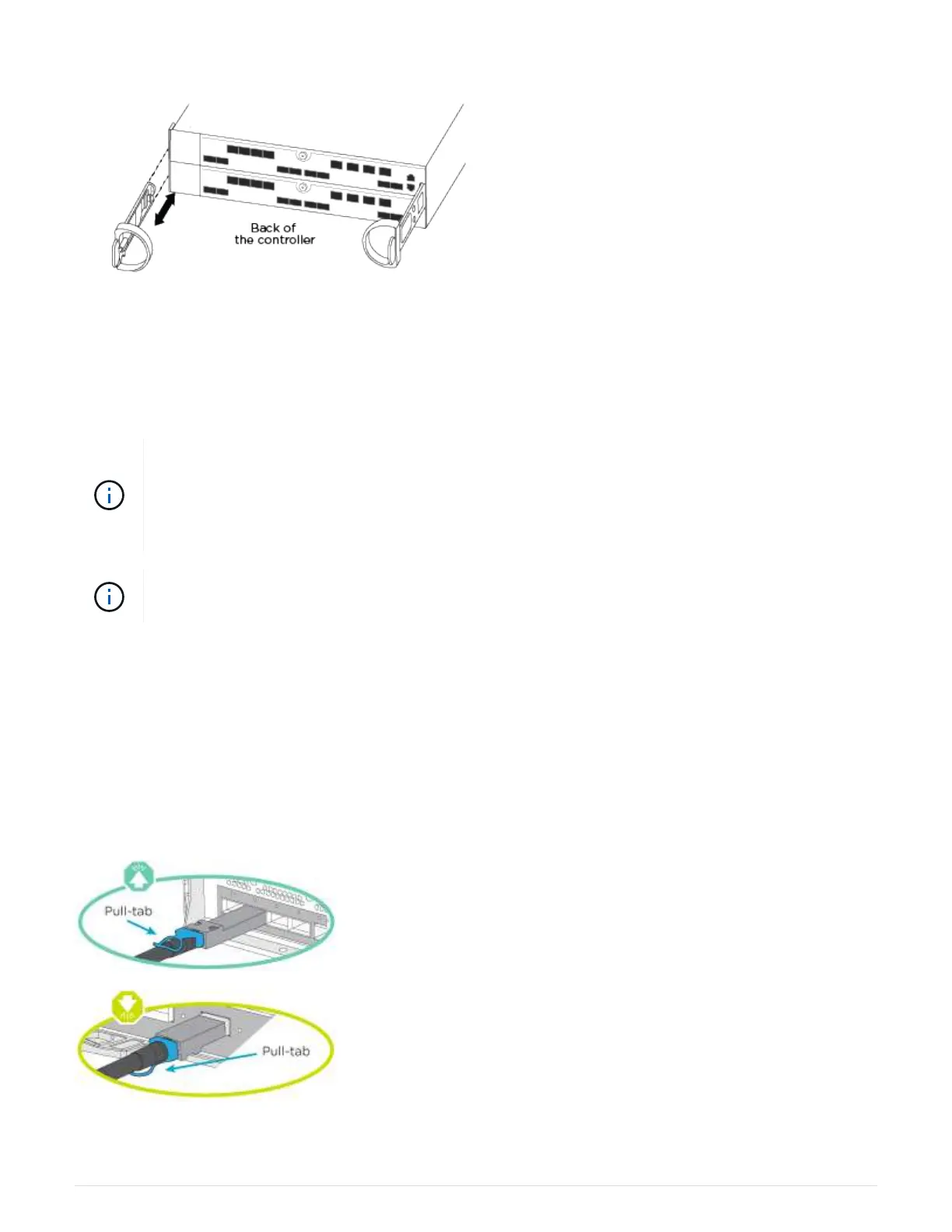
3. Attach cable management devices (as shown).
4. Place the bezel on the front of the system.
Step 3: Cable controllers to your network
You can cable the controllers to your network by using the two-node switchless cluster method or by using the
cluster interconnect network.
If the port labels on the card are not visible, check the card installation orientation (the PCIe
connector socket is on the left side of the card slot in the A400 and FAS8300/8700), and then
look for the card, by part number, in the
NetApp Hardware Universe for a graphic of the bezel
which will show the port labels. The card part number can be found using the
sysconfig -a
command or on the system packing list.
If you are cabling an MetroCluster IP configuration, ports e0a/e0b are available for hosting data
LIFs (usually in Default IPSpace).
Option 1: Cable a two-node switchless cluster
The optional data ports, optional NIC cards, and management ports on the controller modules are connected to
switches. The cluster interconnect and HA ports are cabled on both controller modules.
You must have contacted your network administrator for information about connecting the system to the
switches.
Be sure to check the direction of the cable pull-tabs when inserting the cables in the ports. Cable pull-tabs are
up for all onboard ports and down for expansion (NIC) cards.
325



 To Next Page