Step 3: Replace system DIMMs
Replacing a system DIMM involves identifying the target DIMM through the associated error message, locating
the target DIMM using the FRU map on the air duct, and then replacing the DIMM.
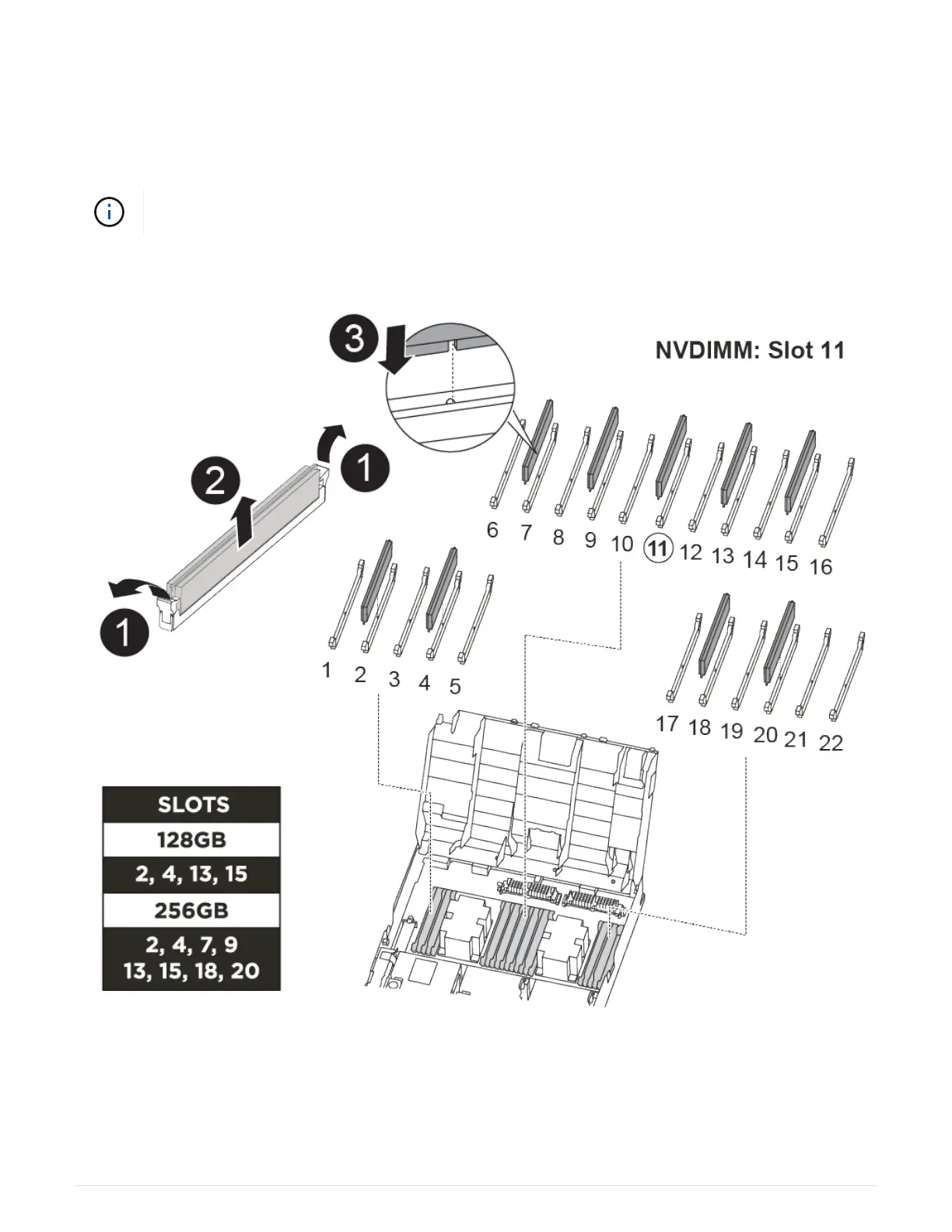
You can use the following animation, illustration, or the written steps to replace a system DIMM.
The animation and illustration show empty slots for sockets without DIMMs. These empty
sockets are populated with blanks.
Animation - Replace a system DIMM
The DIMMs are located in sockets 2, 4, 13, and 15. The NVDIMM is located in slot 11.
1. Open the air duct:
a. Press the locking tabs on the sides of the air duct in toward the middle of the controller module.
388



 To Next Page