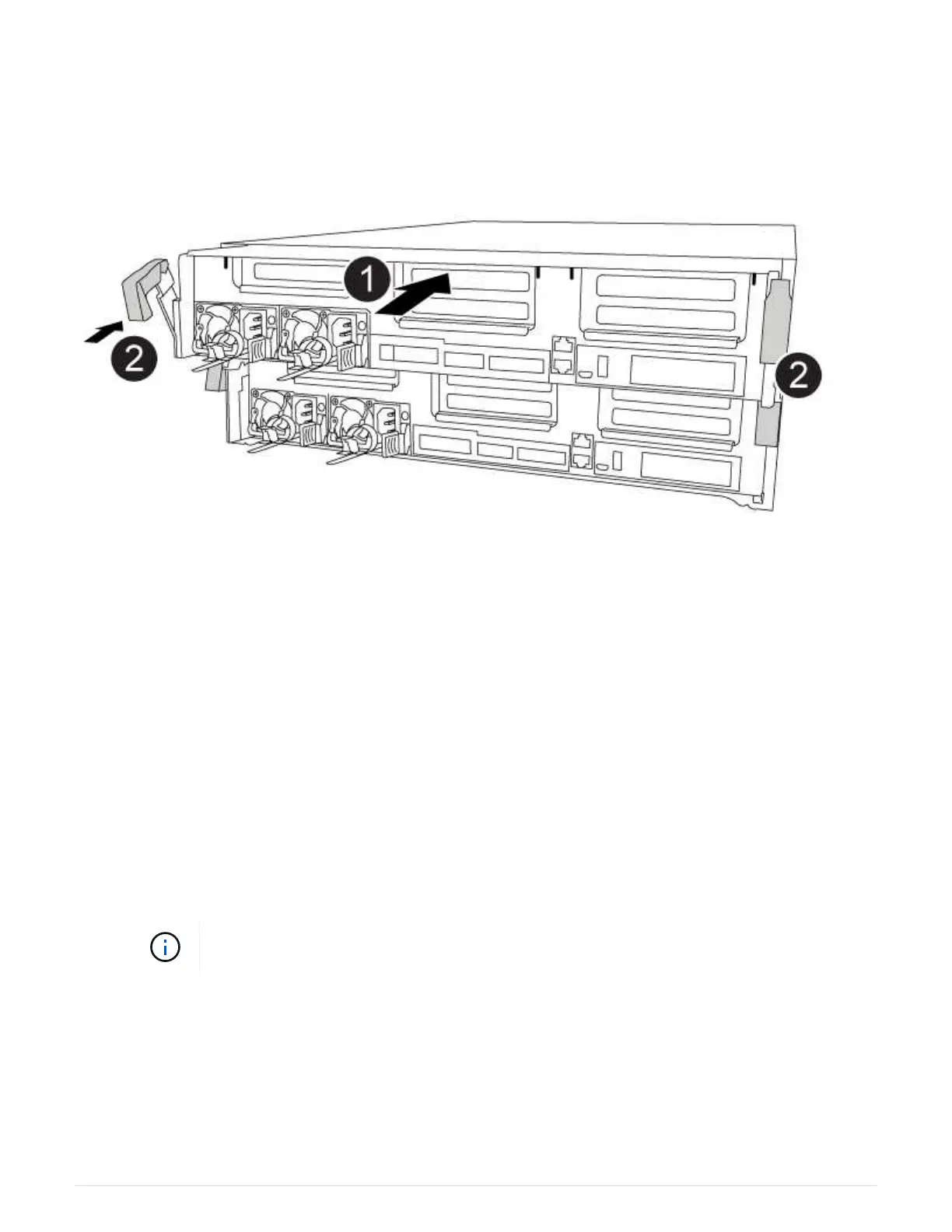
You can use the following animation, illustration, or the written steps to install the controller module in the
chassis.
Animation - Install the controller module
1. If you have not already done so, close the air duct or controller module cover.
2. Align the end of the controller module with the opening in the chassis, and then gently push the controller
module halfway into the system.
Do not completely insert the controller module in the chassis until instructed to do so.
3. Recable the system, as needed.
If you removed the media converters (QSFPs or SFPs), remember to reinstall them if you are using fiber
optic cables.
4. If the power supplies were unplugged, plug them back in and reinstall the power cable retainers.
5. Complete the installation of the controller module:
a. Using the locking latches, firmly push the controller module into the chassis until it meets the midplane
and is fully seated.
The locking latches rise when the controller module is fully seated.
Do not use excessive force when sliding the controller module into the chassis to avoid
damaging the connectors.
The controller module begins to boot as soon as it is fully seated in the chassis. Be prepared to
interrupt the boot process.
b. Fully seat the controller module in the chassis by rotating the locking latches upward, tilting them so
that they clear the locking pins, gently push the controller all the way in, and then lower the locking
latches into the locked position.
c. If you have not already done so, reinstall the cable management device.
429



 To Next Page